Last Updated on April 9, 2026 by Simple Tech Help
Building a Digital App Stack that is Simple, Practical, and Sustainable
If you’re overwhelmed by too many apps, constant notifications, and overlapping subscriptions, you’re not alone. Most people download apps reactively, one for every new need, until their phone becomes cluttered and difficult to manage.
The average smartphone user installs dozens of apps but regularly uses fewer than half of them.
Instead of adding more apps, build a digital app stack: a small, intentional set of core apps that handle your everyday needs without duplication or distraction.
This guide walks you through a beginner-friendly digital app stack designed for simplicity, security, and long-term usability.
What Is a Digital App Stack?
A digital app stack is the group of essential apps you rely on daily to communicate, stay organized, manage money, and handle routine tasks.
Think of it as your personal digital toolkit.
Just like a professional uses a small set of reliable tools instead of dozens of unnecessary ones, your phone or tablet should contain a focused set of apps that work together efficiently.
A healthy app stack is intentional, limited in size, non-duplicative, easy to maintain, and secure.
For most beginners, that means 8–12 core apps.
Digital App Stack vs. Random App Collection
At first glance, every phone looks similar. They have rows of apps, notifications, and folders. But there’s a big difference between a digital app stack and a random collection of apps.
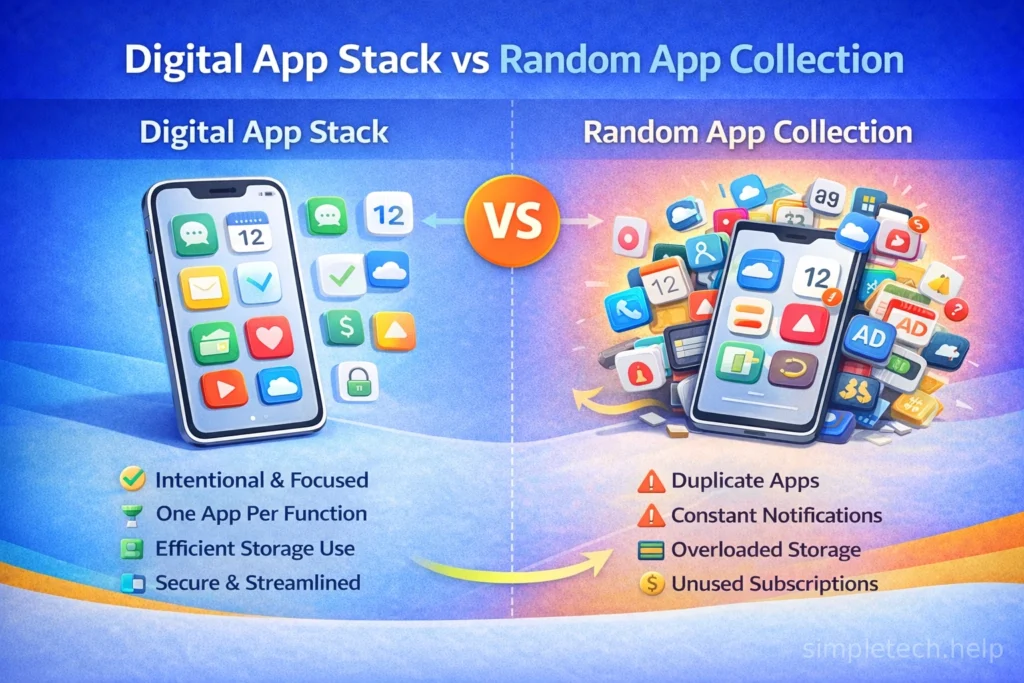
A Random App Collection
A random app setup usually happens over time. Users download apps for one-time use, but do not delete them. They download multiple apps that perform the same function, or their subscriptions overlap.
Moreover, notifications interrupt focus, and storage fills up quickly as users forget why they installed specific apps.
The result? Digital clutter, decision fatigue, and unnecessary spending.
There’s no structure, just accumulation.
A Digital App Stack
A digital app stack is intentional and minimal.
It includes:
- One primary app per core function
- Clear categories, such as communication, organization, finance, etc.
- Limited duplication
- Regular cleanup and review
- Controlled notifications
- Only active, useful subscriptions
Instead of reacting to every new app trend, you build a small ecosystem that works together.
The Key Difference: Intentionality
The difference isn’t the number of apps. It’s the purpose behind them.
A random collection grows passively. A digital app stack is designed.
When you build a stack intentionally, you reduce cognitive overload, save money on unused subscriptions, improve focus, and the device feels simpler and faster.
Technology should feel streamlined, not scattered.
A Simple Test
If you can answer these questions clearly, you likely have a healthy app stack:
- Why is this app installed?
- Does it solve a real problem?
- Does another app already do this?
- Would I notice if I deleted it?
If the answer is unclear, it may not belong in your core stack.
The 5 Core Categories of a Beginner App Stack
Most well-designed app stacks include five core areas, including Communication, Organization, Money Management, Entertainment and Wellness or Smart Living.
Below is a simplified example of what a well-balanced digital app stack might look like for everyday life.
Core Communication, 2–3 Apps
Your digital app stack begins with two to three communication apps, such as:
✔ One primary messaging app
✔ One email app
✔ One video call app, if needed for work or family
Goal: Centralize conversations instead of scattering them across multiple platforms.
If your workplace requires a specific collaboration tool, count that as part of your stack, but avoid adding extra messaging apps beyond necessity.
Core Organization, 3–4 Apps
Next, add three to four organization apps that include:
✔ One calendar app
✔ One task manager
✔ One note-taking app
✔ One cloud storage service
Goal: Keep tasks, notes, and files in one cohesive system that syncs across devices.
If your task app includes note features, you may not need a separate note app.
Fewer systems = better consistency.
Core Money Management, 1–2 Apps
Add one to two core money management apps, such as:
✔ Your bank’s official app
✔ Optional: One budgeting or subscription tracking app
Goal: Visibility without overcomplication.
If you prefer manual tracking, a spreadsheet may replace the budgeting app entirely.
Core Wellness, 0–2 Apps
While it’s not necessary, you can add up to two core wellness apps, such as:
✔ Optional fitness tracking app
✔ Optional meditation or habit tracker
Goal: Support habits, not micromanage them.
If tracking becomes stressful, scale back.
Core Entertainment, 2–3 Apps
Entertainment is everywhere and in various forms, so most users should install two to three core entertainment apps, such as:
✔ One primary video streaming service
✔ One music or podcast app
✔ Optional rotating streaming service
Goal: Avoid stacking multiple entertainment subscriptions simultaneously.
Rotate subscriptions instead of maintaining all at once.
Optional Smart Living, As Needed
Lastly, some users should add up to two smart living apps, such as:
✔ One smart home control app, iif you use smart devices
✔ One delivery or package tracking app, if useful
Goal: Add only what you actively use.
What This Stack Looks Like in Total
For most beginners, their digital stack equals:
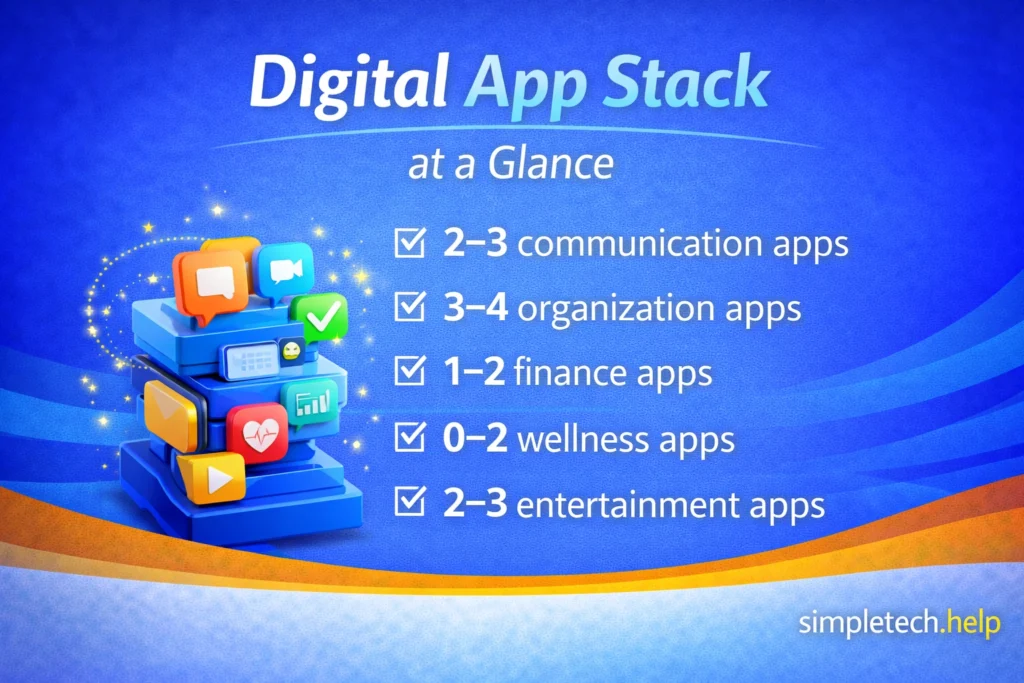
- 1–3 communication apps
- 3–4 organization apps
- 1–2 finance apps
- 0–2 wellness apps
- 2–3 entertainment apps
- Optional smart home apps
That’s roughly 8–12 intentional apps for everyday life.
Not 40.
Not 70.
Intentional selection keeps your phone functional, not cluttered.
Signs Your App Stack Is Too Large
The following are some signs that your current digital app stack is too large:
- You have multiple apps that do the same thing
- You don’t remember why you installed certain apps
- You feel notification fatigue
- You’re paying for unused subscriptions
- Your phone storage is constantly full
Tech and apps should not cost you extra money, time, or energy. Instead, they should maximize each one.
Auditing your stack helps you determine whether it is too large. Here’s how …
Audit Your Current App Stack
Take 10 minutes today and review your phone:
Delete apps you haven’t used in 30 days. Next, cancel unused subscriptions. Consolidate duplicate tools. Finally, turn off unnecessary notifications.
Small adjustments can immediately reduce digital clutter.
How to Adjust This Stack
Your needs may differ if you are:
- A student
- A remote worker
- A freelancer
- Managing a household
- Running a small business
The key principle remains the same.
Add apps to solve real problems. Remove apps that duplicate functionality.
The Beginner Stack Rule
If an app, doesn’t solve a clear problem, duplicates another tool, requires constant maintenance, or adds stress instead of clarity, it probably doesn’t belong in your core stack.
Why This Matters
A well-designed app stack, reduces digital clutter, saves money, protects privacy, and improves focus. It also makes devices feel simpler
Technology should support your life, not overwhelm it.