Last Updated on April 2, 2026 by Simple Tech Help
Phishing is one of the most common online scams. It happens when someone pretends to be a trusted person or company to trick you into sharing sensitive information.
That information might include:
- Passwords
- Credit card numbers
- Bank account details
- Social Security numbers
- Verification codes
Phishing attacks often look legitimate. They may appear to come from your bank, a delivery company, a government agency, or even someone you know.
Understanding how phishing works is the first step to protecting yourself.
What Is Phishing?
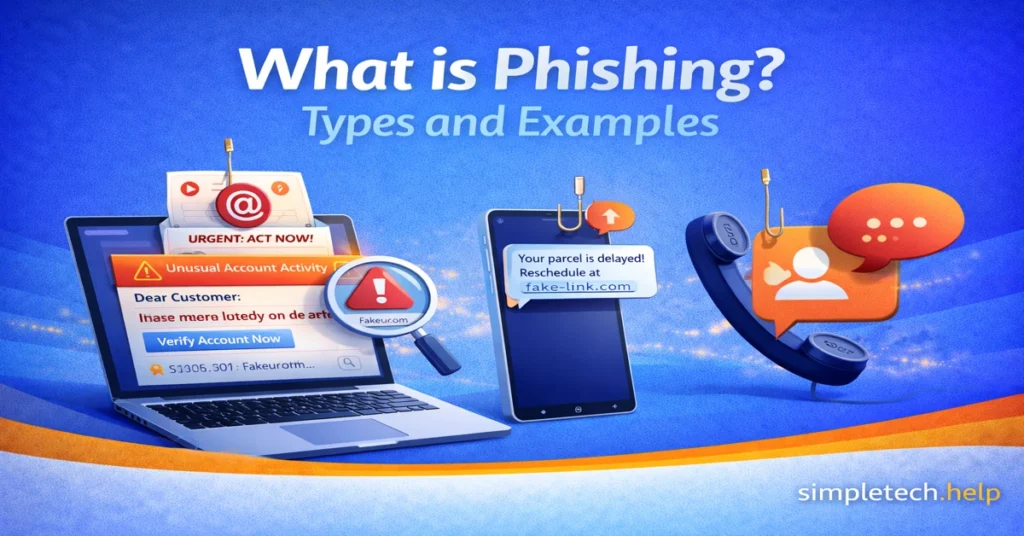
Phishing is a type of online scam where attackers impersonate a trusted source to steal personal or financial information.
Most phishing attacks happen through:
- Text messages
- Fake websites
- Social media messages
- Phone calls
The goal is simple: create urgency or fear so you act quickly without thinking.
How Phishing Works
A typical phishing attack follows a specific pattern. It starts with receiving a message that seems legitimate. The message creates urgency, such as “Your account will be locked.”
It will ask you to click a link or download an attachment. The link leads you to a fake website designed to look real. If you follow the prompts, they instruct you to enter your information, including banking, passwords, and your mother’s maiden name.
The slots where you enter the information feed into a form that the attacker can access.
Some phishing attacks also install malware instead of asking for login details.
Common Types of Phishing
Not all phishing looks the same. Here are the most common types.
Email Phishing
Email is the most common form of phishing. Scammers send emails that look legitimate to trick you.
You receive an email that looks like it’s from:
- Your bank
- Amazon
- PayPal
- A streaming service
- A delivery company
If you have a bank, Amazon, PayPal, or streaming account, you may believe that the email phishing attempt is real. If you’re expecting a delivery, you might also believe the contents of the email.
The email may say:
- “Suspicious login attempt detected.”
- “Your package is delayed.”
- “Payment failed.”
- “Verify your account immediately.”
You might believe those claims because they touch on moments that cause panic. That’s what makes email phishing so effective.
Then, the message includes a link to a fake login page.
Spear Phishing
Spear phishing is more targeted.
Instead of sending a mass email, attackers tailor the message to a specific person or company, making some people fall for it.
For example:
- Using your name
- Mentioning your employer
- Referencing a recent purchase
Because it feels personal, it’s more convincing. However, you can always verify the claims before clicking on any links or opening any attachments.
Example: You receive an email that appears to be from your company’s HR department.
The email says:
“Hi Alex,
We’re updating employee tax records for 2026. Please review and confirm your information using the secure HR portal below.”
The message includes your name, your company’s name, and a link labeled “Employee Tax Update Form.”
The website looks like your company’s login page, but it is actually a fake site designed to steal your credentials.
Because the email references your workplace and sounds routine, many people assume it is legitimate.
Smishing or SMS Phishing
Smishing happens through text messages. They come from random phone numbers, but attempt to trick you in the same manner as email scams.
You might receive a text saying:
- “Your bank account has been locked. Click here.”
- “Package delivery failed. Reschedule now.”
- “Unusual activity detected. Confirm immediately.”
These links often lead to fake mobile login pages.
Vishing or Voice Phishing
Vishing happens over the phone. The caller impersonates someone with authority from a credible source.
In some cases, just answering the phone is enough to confirm that the phone number belongs to you. Then they record your voice, including your responses to questions like “Yes.”
A scammer may pretend to be:
- A bank representative
- Tech support
- The IRS
- A government agency
The caller may aim to build rapport. If you do not follow along their intended script, they may take a more aggressive approach. Sometimes, you may not speak with a person. Instead, it will be a recorded message or AI.
They may pressure you to provide:
- Account numbers
- One-time verification codes
- Personal details
Example: You receive a phone call from someone claiming to be from your bank.
They say:
“Hello, this is the fraud department. We detected suspicious activity on your account. To secure your account, please verify your card number and the code sent to your phone.”
The caller may sound professional and urgent.
However, they are trying to trick you into revealing:
- Your account number
- Your PIN
- A one-time verification code
Once they have this information, they can access your account.
Legitimate companies rarely ask for sensitive information over the phone without verification.
Regardless of the approach used in vishing, the goal is always the same: tricking you into providing private information they can use to target your financial and personal accounts.
Clone Phishing
In clone phishing, attackers copy a legitimate email you’ve received before and resend it with a malicious link or attachment.
Because the message looks familiar, often using the same branding, formatting, and subject line, it appears trustworthy. The only difference is that the original link or attachment has been replaced with a malicious one.
Victims believe they are opening a normal follow-up message when they are actually interacting with a phishing attack.
The malicious link may lead to:
- A fake login page
- Malware downloads
- Credential harvesting websites
- Payment scams
Example: Imagine you previously received a legitimate email from a company with a PDF invoice.
A few days later, you receive another email that looks identical and says:
“Updated invoice attached — please review.”
However, the attachment is actually malware disguised as a document.
Because the email appears familiar, many people open the attachment without questioning it.
Business Email Compromise (BEC)
One of the most financially damaging phishing attacks is Business Email Compromise.
Instead of targeting individuals randomly, attackers study a company’s structure and impersonate executives or vendors.
Common BEC scams include requests for:
- Urgent wire transfers
- Updated banking details
- Confidential financial documents
Because these emails appear to come from trusted internal sources, employees may act quickly without verifying the request.
Fake Executive Request Example: An employee in the finance department receives an email that appears to come from the company’s CEO.
The email says:
“Hi, I’m in meetings all day and need you to process an urgent wire transfer for a new vendor. Please send $18,750 to the account below before 3 PM. I’ll explain later.”
The message may look convincing because it includes:
- The CEO’s name in the sender field
- A professional tone
- Urgent instructions
- A reason why verification is difficult (“I’m in meetings”)
However, the email address may be slightly altered, such as ceo-company@gmail.com, rather than the company’s actual domain.
If the employee sends the wire transfer, the money goes directly to the attacker.
Fake Vendor Invoice Example: A business receives an email from someone posing as a regular supplier.
The message might say:
“We recently updated our banking details. Please send future payments to the new account listed on the attached invoice.”
Because the company already works with that vendor, the request may seem legitimate.
But the invoice and banking information actually belong to the attacker.
More Examples of Phishing Scams
Let’s apply the characteristics of phishing types to examples. Understanding real-world examples makes phishing easier to recognize.
“Your Account Has Been Locked”
You receive an email claiming your bank account is locked due to suspicious activity. It includes a button that says “Verify Now.”
The email looks official. It has a logo, formatting, and branding, but the link leads to a fake website designed to steal your login information.
Fake Delivery Notification
You get a text message, and it states: “Delivery attempt failed. Click here to reschedule.”
You click the link and are asked to pay a small “redelivery fee.” The site collects your credit card information.
Password Reset Scam
You receive an email that states, “We received a request to reset your password.”
Even if you didn’t request it, panic may cause you to click. The link leads to a fake login page.
Tech Support Call
You receive a call from someone claiming to be from Microsoft or Apple.
They say your computer has a virus and ask for remote access.
This is a common vishing scam.
How to Protect Yourself From Phishing Checklist
Once you become adept at spotting phishing attempts, you can take steps to protect yourself against them.
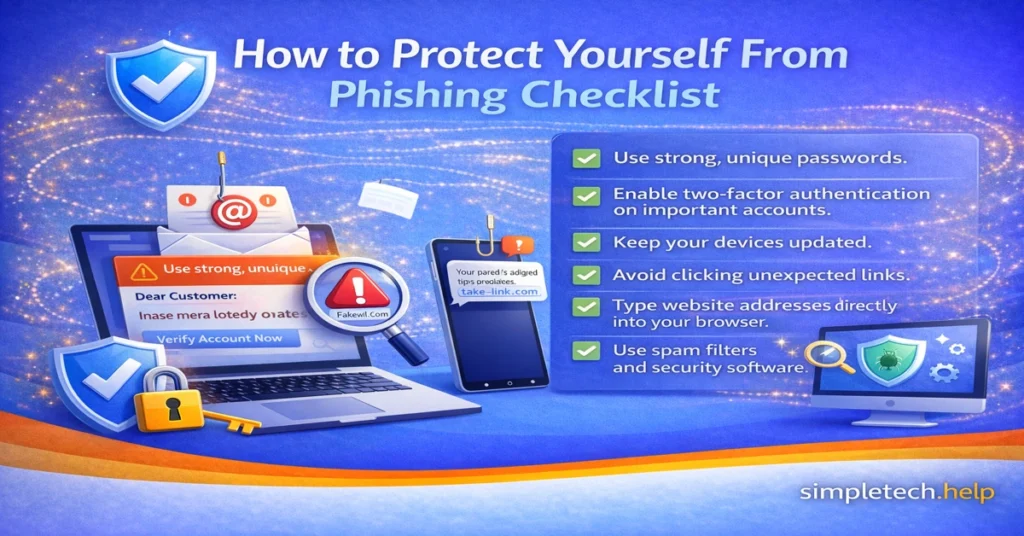
Here are practical prevention steps:
- Use strong, unique passwords.
- Enable two-factor authentication on important accounts.
- Keep your devices updated.
- Avoid clicking unexpected links.
- Type website addresses directly into your browser.
- Use spam filters and security software.
Building simple habits dramatically reduces your risk.
Phishing vs Other Online Scams
Phishing is only one type of online scam.
| Scam Type | Description |
| Phishing | Fake messages designed to steal login or financial information |
| Malware | Malicious software installed on your device |
| Identity theft | Criminals using stolen personal data |
| Tech support scams | Fake support agents asking for remote access |
Understanding the differences helps you recognize threats more easily.
How Phishing Attacks Have Evolved
Phishing scams have existed for decades, but they continue to evolve as technology changes. Early phishing attacks were often easy to spot because they contained obvious spelling errors, poor formatting, or suspicious email addresses.
Today’s phishing scams are far more sophisticated. Attackers now use automation, social media research, and artificial intelligence to create messages that appear highly legitimate.
Understanding how phishing has evolved helps you recognize modern threats before they cause damage.
AI-Generated Phishing Messages
Artificial intelligence has made phishing attacks more convincing.
In the past, scammers often wrote poorly worded messages that contained grammatical mistakes. Modern phishing emails, however, can be generated using AI tools that produce professional-looking messages with correct grammar and formatting.
Attackers can also use AI to:
- Generate personalized emails
- Mimic writing styles
- Create realistic customer service responses
Because of this, grammar alone is no longer a reliable indicator of phishing.
QR Code Phishing or Quishing
A newer phishing technique involves QR codes.
Instead of sending a clickable link, attackers send a QR code that directs victims to a malicious website.
These QR codes may appear in:
- Emails
- Text messages
- Fake invoices
- Posters or printed flyers
When scanned, the QR code opens a fake login page designed to steal account credentials.
Since many people trust QR codes, this method can bypass traditional security filters.
Social Media Phishing
Social media platforms have become a major target for phishing attacks.
Scammers create fake profiles that impersonate:
- Friends or family members
- Company support accounts
- Influencers or public figures
They may send direct messages claiming:
- Your account is at risk
- You’ve won a giveaway
- A friend needs urgent help
These messages often include malicious links that lead to phishing pages.
Deepfake and Voice Cloning Scams
Some advanced phishing attacks now use AI-generated voices or video.
Attackers can create voice recordings that imitate:
- Company executives
- Family members
- Government officials
For example, a scammer may call an employee pretending to be a manager, requesting an urgent payment transfer.
These scams are still relatively rare but are becoming more common as voice-generation technology improves.
Multi-Step Phishing Attacks
Modern phishing attacks sometimes happen in stages.
Instead of immediately asking for login credentials, attackers may first send harmless messages to build trust.
For example:
- A scammer sends a message asking if you received a document.
- Later, they send a link to “review” the document.
- The link leads to a fake login page.
These multi-step attacks, or follow-up phishing scams, feel more natural, making them harder to detect.
Why Phishing Continues to Grow
Phishing remains one of the most successful online scams because it targets human behavior rather than technical vulnerabilities.
Attackers rely on:
- Urgency
- Fear
- Curiosity
- Authority
Even experienced internet users can fall for well-designed phishing messages.
The Effectiveness of Phishing
If scammers can strike an emotional chord, you are more likely to take the action that they outline for you.
Fear. They make you think that your account is blocked or that your delivery is delayed.
Urgency. Since you believe that your account is blocked or that your delivery is delayed, scammers also make you believe that you must take action right away.
Curiosity. Receiving a random message that references your accounts or deliveries sparks curiosity at the least. Therefore, you will read the message and consider taking action.
Authority. To make phishing credible, scammers imitate well-known companies and brands to establish authority.
Even tech-savvy users can fall for well-crafted phishing messages.
That’s why awareness is your strongest defense.
The Best Defense: Slow Down and Verify
No matter how phishing tactics evolve, the core defense remains the same.
Before clicking links or sharing information:
- Pause and evaluate the message
- Verify requests through official channels
- Avoid reacting to urgency or threats
A few seconds of caution can prevent serious security problems.
Phishing Prevention Checklist
To reduce your risk of phishing attacks, follow these basic habits:
✔ Never click unexpected links in emails or texts
✔ Verify messages by visiting the company’s official website
✔ Enable two-factor authentication (2FA)
✔ Use strong, unique passwords
✔ Avoid downloading unexpected attachments
✔ Be cautious of urgent or threatening language
✔ Keep devices and browsers updated
✔ Use spam filters and security tools
Phishing Red Flags
Phishing messages are designed to look convincing, but they usually contain warning signs. Learning to recognize these red flags can help you avoid scams before they cause damage.
If a message contains several of the signs below, treat it as suspicious.
Urgent or Threatening Language
Phishing messages often try to create panic, so you act quickly without thinking.
Examples include:
- “Your account will be locked in 24 hours.”
- “Immediate action required.”
- “Suspicious activity detected. Verify now.”
Legitimate companies rarely demand immediate action through email or text messages.
Requests for Sensitive Information
Trusted organizations do not ask for passwords, verification codes, or financial details through email or text messages.
Be cautious if a message asks for:
- Passwords
- Credit card numbers
- Bank account details
- Social Security numbers
- Two-factor authentication codes
Suspicious Sender Address
Phishing emails often come from addresses that look similar to legitimate ones but contain subtle differences.
Examples:
- support@paypa1.com (the letter “l” replaced with the number “1”)
- amazon-security@mailverify.com
Always check the sender’s full email address before trusting the message.
Links That Don’t Match the Official Website
Phishing messages often include links that lead to fake login pages designed to steal your information.
Before clicking a link:
- Hover over it to preview the destination
- Look for misspelled domains
- Check for unusual website addresses
When in doubt, type the official website address directly into your browser.
Unexpected Attachments
Phishing emails may include attachments that contain malware.
Be cautious if you receive unexpected files such as:
- PDF documents
- Word files
- ZIP archives
- Invoice attachments
Only open attachments from trusted sources you were expecting.
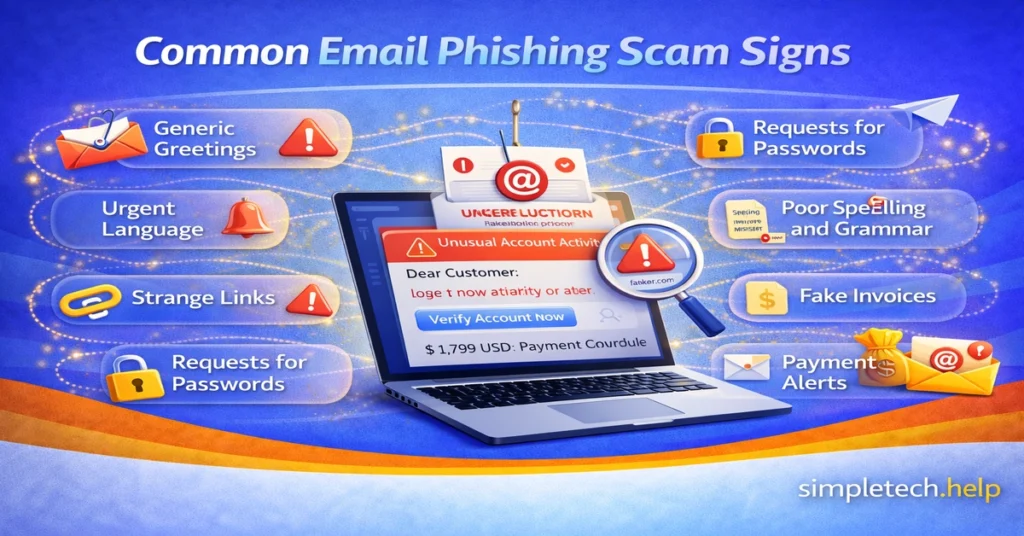
Generic Greetings
Legitimate companies usually address you by name.
Phishing messages often use generic greetings like:
- “Dear Customer”
- “Dear User”
- “Account Holder”
While not always a scam, generic greetings can be a warning sign when combined with other red flags.
Spelling and Grammar Errors
Many phishing messages contain awkward phrasing, grammar mistakes, or unusual formatting.
Examples include:
- Poor sentence structure
- Random capitalization
- Missing logos or inconsistent branding
Professional companies typically send well-written communications.
Unexpected Account Alerts
Phishing emails often claim there is a problem with your account to trigger panic.
Examples include:
- “Your payment failed.”
- “Your account has been suspended.”
- “Unusual login detected.”
Before responding, log in to your account directly through the official website to verify the claim.
Messages You Weren’t Expecting
Many phishing attempts rely on unexpected communication.
Examples:
- A package delivery notification when you didn’t order anything
- A password reset you didn’t request
- A bank alert from a bank you don’t use
If something feels out of context, pause and verify before acting.
What To Do If You Spot These Red Flags Checklist
If you suspect a phishing attempt:
- Do not click links.
- Do not download attachments.
- Do not reply to the message.
- Report the message as spam or phishing.
- Verify the request through the company’s official website.
Taking a few seconds to verify a message can help prevent identity theft, financial loss, and account compromise.
What To Do If You Already Fell for a Phishing Scam
Even careful users sometimes fall for phishing scams. Acting quickly can reduce the damage and help protect your accounts after you click on a suspicious link.
Change Your Password Immediately
Your account passwords open your private and financial information to the internet. Compromised passwords allow scammers to access them and drain them. Studies confirm that at least 75% of phishing attempts are financially driven.
If you entered your password on a suspicious website:
- Change your password right away
- Update passwords on other accounts using the same password
Using unique passwords for each account reduces the risk of multiple accounts being compromised.
Enable Two-Factor Authentication
In addition to developing good online habits, preventing future successful attacks requires adding layers of protection, such as enabling two-factor authentication.
Turn on two-factor authentication (2FA) for important accounts like:
- Banking
- Shopping accounts
- Social media
Even if someone steals your password, 2FA adds another layer of protection.
Scan Your Device for Malware
Your devices require ongoing protection, such as anti-virus software and comprehensive security suites. It also helps to turn on built-in tools, such as defenders, since some phishing attacks install malicious software.
Find out if scammers have infected your device by running a security scan using:
- Your device’s built-in security tools
- Trusted antivirus software
Contact Your Bank or Financial Institution
In addition to taking steps to protect your accounts online, you’ll also need to take some offline measures.
If you entered financial information:
- Contact your bank immediately
- Monitor accounts for suspicious transactions
- Consider freezing your credit if identity theft is possible
Companies of all sizes across various industries, especially those using technology to service customers, understand the cyber threats that they must protect against.
When customers call them about phishing attempts, most organizations will direct you to the appropriate department and walk you through steps to help you protect your accounts and prevent further damage.
Report the Phishing Attack
Reporting phishing helps protect others.
You can report phishing to:
- Your email provider
- The company being impersonated
- Government consumer protection agencies
Many organizations will compile phishing attempts reported by their customers. The attempts help them shore up their security measures, and it allows them to protect their customers, especially if the threats have evolved.
What To Do If You Clicked a Phishing Link Checklist
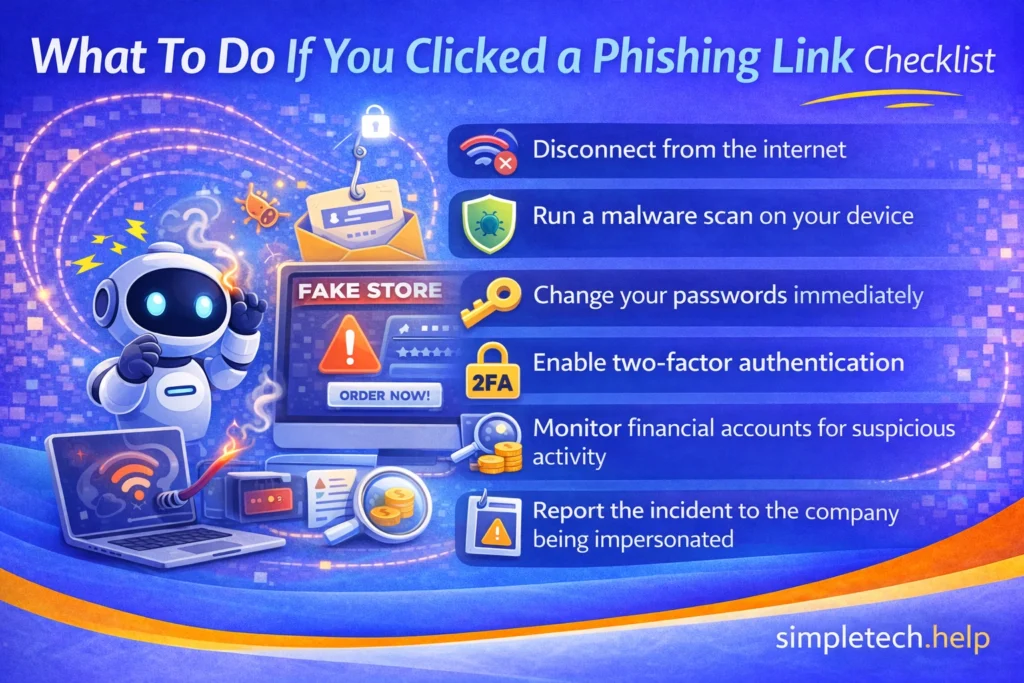
If you accidentally click a phishing link, act quickly:
- Disconnect from the internet.
- Run a malware scan on your device.
- Change your passwords immediately.
- Enable two-factor authentication.
- Monitor financial accounts for suspicious activity.
- Report the incident to the company being impersonated.
Quick action can prevent further damage.
Common Targets: Organizations Commonly Used in Phishing Scams
Phishing attackers often impersonate well-known companies or institutions because people trust them.
Banks and Financial Institutions
Attackers frequently impersonate banks to steal login credentials or payment information.
Messages may claim:
- “Suspicious activity detected”
- “Verify your account”
- “Payment declined”
Delivery and Shipping Services
Delivery scams have become extremely common.
Messages often claim:
- “Package delivery failed”
- “Address confirmation needed”
- “Pay small redelivery fee”
Online Retailers
Retail platforms are popular targets for phishing because many people shop online.
Scammers may send fake messages related to:
- Order confirmations
- Payment problems
- Refunds
Government Agencies
Some phishing scams impersonate government organizations, such as:
- Tax authorities
- Social security services
- Law enforcement
These messages often use fear or legal threats to pressure victims.
Tech Companies
Scammers frequently impersonate tech companies, claiming:
- Your account was compromised
- Your device has a virus
- Your password needs to be reset
Key Tip
Remember that legitimate organizations do not ask for passwords or sensitive information through email or text messages.
Always verify messages through official websites.
The Psychology Behind Phishing Scams
No one is immune to phishing. Even smart people fall for them. Phishing attacks succeed because they target human behavior, not just technology.
Attackers use psychological triggers to manipulate people into acting quickly.
Fear
Messages often warn that something is wrong with your account.
Examples:
- “Your account will be locked”
- “Unauthorized login detected”
Fear makes people react quickly rather than verify information.
Urgency
Scammers often create artificial deadlines such as:
- “Respond within 24 hours”
- “Immediate action required”
Urgency discourages careful thinking.
Authority
Phishing messages frequently impersonate trusted institutions like banks or government agencies.
People are more likely to trust instructions from authority figures or organizations.
Curiosity
Unexpected messages can trigger curiosity.
Examples:
- “You received a secure document”
- “Invoice attached”
Curiosity leads people to open attachments or click links.
Familiarity
Some phishing attacks reference:
- Recent purchases
- Delivery notifications
- Services people commonly use
This makes the message appear legitimate.
Key Insight
Phishing is successful not because people are careless, but because attackers deliberately exploit normal human behavior.
Awareness is the best defense.
Phishing Statistics and Why This Threat Matters
Phishing is one of the most widespread cybercrimes worldwide. Every day, attackers send millions of fraudulent messages designed to trick people into revealing sensitive information such as passwords, financial details, and verification codes.
Because phishing relies on human trust rather than technical vulnerabilities, it remains one of the most successful forms of online fraud.
Phishing by the Numbers
Cybersecurity research consistently shows that phishing attacks have become widespread.
- Phishing accounts for a large share of reported cybercrime incidents each year.
- Millions of phishing emails are sent every day, targeting individuals and businesses worldwide.
- Cybercriminals frequently impersonate trusted companies, banks, delivery services, and government agencies.
- Businesses lose billions of dollars annually due to phishing-related fraud, account takeovers, and financial scams.
These attacks continue to increase because phishing messages are cheap to send, easy to automate, and often highly convincing.
A Major Company’s Phishing Loss
Even large organizations with strong security programs can fall victim to phishing attacks, such as Ubiquiti Networks.
In 2015, attackers used a phishing-style Business Email Compromise (BEC) scam to impersonate company executives. Employees were tricked into approving fraudulent wire transfers to overseas bank accounts.
The result: The company lost approximately $46.7 million before the fraud was discovered.
The attack shows how phishing often targets people rather than systems. Instead of hacking into computers directly, attackers manipulate employees into approving transactions or revealing sensitive information.
Phishing Glossary: Key Terms You Should Know
Phishing scams often involve technical language that can confuse new users. Understanding a few common terms makes it much easier to recognize phishing attempts and avoid online scams.
Below are some of the most important phishing-related terms explained in simple language.
Phishing
Phishing is a type of online scam in which attackers impersonate a trusted person, company, or organization to trick you into revealing sensitive information, such as passwords, financial details, or verification codes.
Spear Phishing
Spear phishing is a targeted phishing attack aimed at a specific person or organization. Attackers often use personal details such as your name, employer, or recent activity to make the message appear more convincing.
Smishing
Smishing stands for SMS phishing. These scams arrive as text messages that attempt to trick you into clicking a malicious link or sharing sensitive information.
Common examples include fake delivery notifications or messages claiming your bank account has been locked.
Vishing
Vishing refers to voice phishing, in which scammers call victims by phone and pose as trusted representatives, such as bank employees, government officials, or technical support staff.
The goal is usually to obtain account information, passwords, or verification codes.
Clone Phishing
Clone phishing occurs when attackers copy a legitimate email you previously received and resend it with a malicious link or attachment. Because the message looks familiar, it can be harder to recognize as a scam.
Business Email Compromise (BEC)
Business Email Compromise is a phishing attack that targets companies rather than individuals. Attackers impersonate executives, coworkers, or vendors to trick employees into sending money or sensitive information.
BEC scams often result in significant financial losses.
Spoofing
Spoofing is the act of faking an identity to make a message appear to come from a trusted source. Attackers may spoof email addresses, phone numbers, or websites to make their phishing attempts look legitimate.
Fake Website
A fake website is a fraudulent webpage designed to look identical to a real company’s website. These sites are used to collect login credentials, credit card numbers, or other personal information.
Fake websites are commonly used in phishing attacks.
Malware
Malware is malicious software designed to harm devices or steal information. Some phishing attacks attempt to install malware when victims download attachments or click on malicious links.
Two-Factor Authentication (2FA)
Two-factor authentication is a security feature that requires two forms of verification to log in to an account. Even if attackers steal your password through phishing, 2FA can help prevent them from accessing your account.
Verification Code
A verification code is a temporary security code sent by text message, email, or an authentication app. Phishing scammers sometimes attempt to trick victims into sharing these codes to bypass account security protections.
Quishing
Quishing refers to QR code phishing. Instead of sending a clickable link, attackers send a QR code that directs victims to a malicious website designed to steal login credentials or financial information.
Why Learning These Terms Matters
Understanding phishing terminology makes it easier to recognize online scams before they cause damage.
Phishing attacks rely on confusion, urgency, and trust. When you know the common techniques attackers use, you can pause, verify suspicious messages, and avoid becoming a victim.
A few minutes of awareness can protect your personal information, finances, and online accounts.
Common Phishing Myths
Phishing scams are surrounded by many misconceptions that make people feel safer than they actually are.
Understanding what phishing attackers can and cannot do helps you recognize scams more quickly and avoid common mistakes that lead to compromised accounts.
Myth: Only suspicious-looking emails are phishing.
Reality: Many phishing emails look extremely professional.
Myth: Tech-savvy people don’t fall for phishing.
Reality: Even experienced users fall for well-designed scams.
Myth: Phishing only happens through email.
Reality: Phishing also occurs via text messages, phone calls, and social media.
Myth: Security software catches all phishing attacks.
Reality: Awareness and caution are still necessary.
Phishing FAQs
Even after learning the basics, many people still have questions about how phishing works and what to do if they encounter it.
These frequently asked questions answer the most common concerns about phishing emails, text scams, fake websites, and account security.
What is phishing in simple terms?
Phishing is an online scam in which attackers pose as a trusted organization to trick you into revealing sensitive information.
How do I know if an email is phishing?
Look for urgent language, suspicious links, unexpected attachments, or requests for passwords or verification codes.
What happens if you click a phishing link?
You may be redirected to a fake website, asked to enter personal information, or unknowingly download malware.
Can phishing steal your identity?
Yes. If attackers obtain sufficient personal information, they may use it to commit identity theft or financial fraud.
Are phishing attacks illegal?
Yes. Phishing is a criminal offense in most countries and is prosecuted under fraud and cybercrime laws.
Learning & Next Steps
Now that you understand how phishing works and how to spot it, remember to slow down and verify before you click.
Phishing attacks rely on urgency, confusion, and trust. The more you recognize the signs—unexpected messages, suspicious links, or requests for personal information—the easier it becomes to avoid them.
You don’t need to memorize every scam. You just need to build a simple habit: Pause → Check → Then act
Bookmark this guide so you can return anytime something feels off. A quick second look can prevent major issues like account compromise or identity theft.
As you continue building your online safety skills, these guides pair well with what you’ve learned here:
Go deeper into online safety and online account protection with these guides:
- Create Strong Passwords: A how to guide
- What to Do If You Clicked a Suspicious Link: Since time is of the essence, we outline the steps you must take right away
- Account Security: How to protect your online accounts
- Online Safety: How to stay safe online.
The more familiar you become with phishing tactics, the easier it is to spot them instantly. And remember: staying safe online isn’t about being perfect. It’s about being aware and consistent.