Last Updated on March 9, 2026 by Simple Tech Help
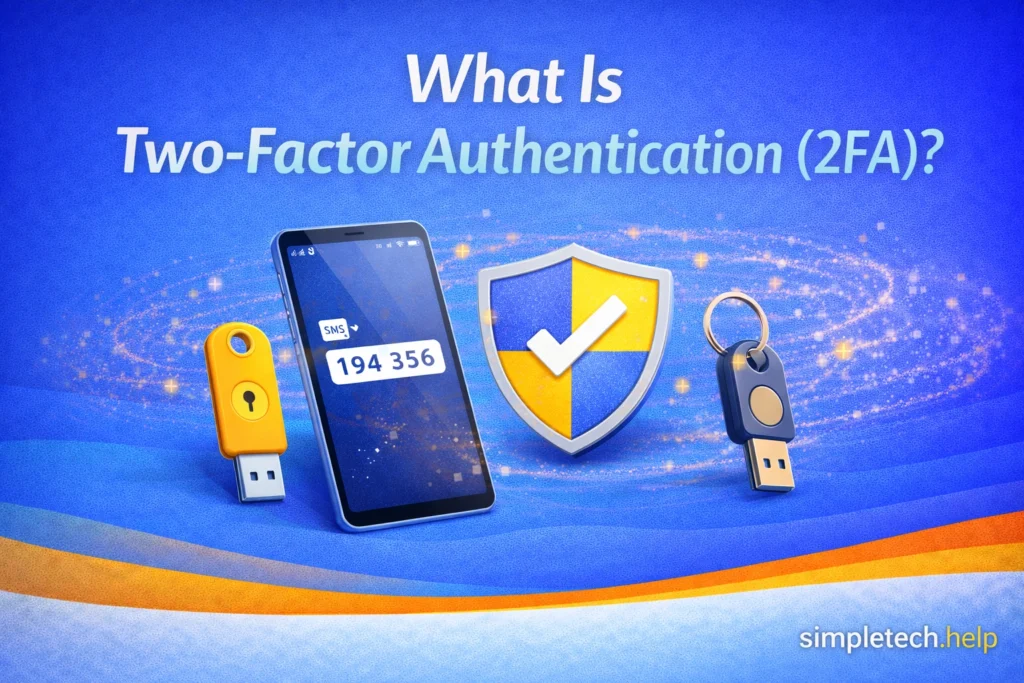
Two-factor authentication (2FA) is a security feature that requires two forms of verification to access an account. In addition to entering your password, you must also confirm your identity using a second method, such as a code sent to your phone or an authentication app.
Two-Factor Authentication at a Glance
Two-factor authentication adds an extra step to logging in to an account.
It typically requires:
- something you know (your password)
- something you have (a phone, authentication app, or security key)
This additional verification makes it much harder for someone else to access your account, even if they know your password.
The extra step makes it much harder for someone else to access your accounts, even if they manage to steal your password.
Two-factor authentication is commonly used for:
- email accounts
- banking apps
- social media accounts
- online shopping accounts
- cloud storage services
Because passwords can be guessed, reused, or stolen in phishing attacks, 2FA provides an important additional layer of protection.
How Two-Factor Authentication Works
When two-factor authentication is enabled, logging into an account requires two verification methods.
You will follow two steps:
- Enter your password
- Provide a second verification method
The second step confirms that you are the person trying to access the account. The extra layer prevents someone with your login credentials, such as your email and password, from accessing the account without authorization.
For example:
- You enter your email and password.
- A verification code is sent to your phone.
- You enter the code to complete the login.
Even if someone knows your password, they still cannot access the account without the second verification.
Why Two-Factor Authentication Is Important
RSA Security introduced an early version of two-factor authentication in 1986. As the public adopted smartphones and text messaging, this presented an opportunity for companies and platforms to use modern 2FA via SMS-based codes.
As cybersecurity threats increased, companies found that passwords alone are often not enough to keep accounts secure.
Common ways passwords get compromised include:
- phishing emails
- data breaches
- weak or reused passwords
- malicious software
If someone obtains your password, they may try to access multiple accounts simultaneously.
Two-factor authentication significantly reduces this risk because the attacker would also need access to your second verification method, such as your phone or authentication app.
For many accounts, enabling 2FA is one of the most effective security steps you can take.
Enabling two-factor authentication can help protect your accounts even if your password is stolen in a phishing attack.
Common Types of Two-Factor Authentication
Different services use different methods for the second verification step, including text message codes and authentication apps.
Some platforms give you options, but most use the methods that work best for them.
Text Message Codes (SMS)
When a platform uses SMS two-factor authentication, the service it uses sends a code to your phone by text message. Then, you enter that code to complete the login.
Most codes have a time limit. The platform or the text message will tell you how long you have to enter the code before it expires.
Pros:
- easy to use
- widely supported
Limitations:
- relies on phone service
- data rates apply
- less secure than some other methods
Authentication Apps
Authentication apps generate temporary login codes that change every 30–60 seconds.
You install the authentication app on your device and scan the QR code provided by the platform. The authentication app recognizes it and starts generating the codes. If you do not enter the code shown to you before it expires, you enter the next one it shows you.
Common examples include apps designed specifically for secure verification.
Pros:
- more secure than text messages
- works without cellular service
Limitations:
- requires installing an app
- must be transferred if you change phones
Push Notifications
Some services send a notification to your phone asking you to approve the login attempt. The service tells you if they sent the notification to their apps, your email, or a text message. When it arrives, open the communication and follow the prompts.
You simply tap Approve or Deny.
Most push notifications also have time limits, so you must acknowledge it before the notification expires.
Pros:
- quick and easy
- no code typing required
Limitations:
- notifications expire quickly
Security Keys
A physical device (similar to a USB key) must be inserted into your computer or connected to your phone.
Pros:
- extremely secure
- resistant to phishing attacks
Limitations:
- requires purchasing a device
- less common for everyday users
Does Two-Factor Authentication Make Accounts Completely Safe?
Two-factor authentication greatly improves security, but it is not perfect.
As cybersecurity threats have evolved and expanded, firms have found ways to counter them, protecting themselves and their users.
Nonetheless, sophisticated phishing attacks may try to capture verification codes, and attackers may attempt social engineering to bypass security measures.
However, these attacks are much harder to carry out.
In most cases, enabling two-factor authentication dramatically reduces the risk of unauthorized access to accounts.
How to Turn On Two-Factor Authentication
Most online services allow you to enable 2FA in the security or account settings.
Sometimes, services will prompt you to enable 2FA. Other times, you can take the initiative and set it up yourself by following the instructions.
Typical steps include:
- Open your account settings.
- Find the Security or Login & Security section.
- Look for Two-Factor Authentication or 2-Step Verification.
- Choose your preferred verification method.
- Follow the setup instructions.
Many services will also provide backup recovery codes. These codes allow you to access your account if you lose your phone or verification device.
The need for additional security measures depends on the type of platform you access. For example, if you establish an account on an e-commerce site to sell items, the platform may ask you to verify your identity and set up various authentication methods.
These protocols protect you against unauthorized access. They also help you maintain control over the account.
If you receive recovery codes, store them in a safe place.
When You Should Use Two-Factor Authentication
At some point, all accounts may require two-factor authentication.
It is especially important to enable 2FA for accounts that contain sensitive information, such as:
- email accounts
- banking accounts
- cloud storage
- work or school accounts
- password managers
Email accounts are particularly important because they are often used to reset passwords for other services.
Because passwords can be reused, guessed, or stolen in phishing attacks, enabling two-factor authentication is one of the simplest and most effective ways to protect your personal information. Most major online services now support 2FA, and the setup process usually takes only a few minutes.
Taking the time to enable two-factor authentication today can help prevent unauthorized access to your accounts and reduce the risk of identity theft or financial loss.
Next Steps to Improve Your Account Security
Two-factor authentication is an important part of protecting your accounts, but it works best when combined with other security habits.
You may also want to learn more about:
- How to create strong passwords
- What password managers do and how they help protect your accounts
- What to do if your email account is hacked
These simple steps can help you build stronger protection for your most important online accounts.
Frequently Asked Questions
Two-factor authentication is widely used across email services, banking platforms, and social media accounts, but many people still have questions about how it works in everyday situations.
Below are answers to some of the most common questions about two-factor authentication, including when you should use it and what happens if you lose access to your verification device.
Do I need two-factor authentication on every account?
It is best to enable it on any account that offers the feature, especially important accounts like email, banking, and social media.
What happens if I lose my phone?
Most services provide backup recovery codes during setup. These codes allow you to log in if your phone is unavailable.
Is two-factor authentication difficult to use?
Once enabled, the process usually takes only a few extra seconds during login. For most people, the added security is well worth the small inconvenience.