Last Updated on March 17, 2026 by Simple Tech Help
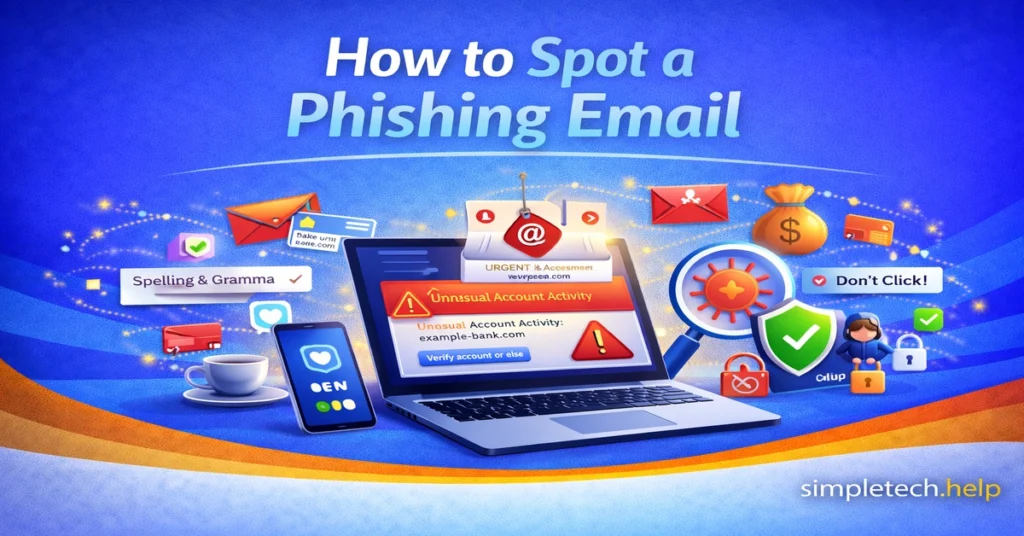
Phishing emails are one of the most common online scams. A phishing email is designed to trick you into clicking a link, downloading an attachment, or sharing personal information such as passwords, credit card numbers, or verification codes.
The good news? Most phishing emails follow predictable patterns. Once you know what to look for, they become much easier to recognize.
This guide will show you exactly how to spot a phishing email before you click.
What Is a Phishing Email?
A phishing email is a fraudulent message that pretends to be from a legitimate company, organization, or person. The goal is to trick you into revealing sensitive information or installing malicious software.
Phishing emails often pretend to be from:
- Banks
- Credit card companies
- Delivery services
- Government agencies
- Streaming platforms
- Social media accounts
- Your email provider
They usually create a sense of urgency so you act quickly without thinking.
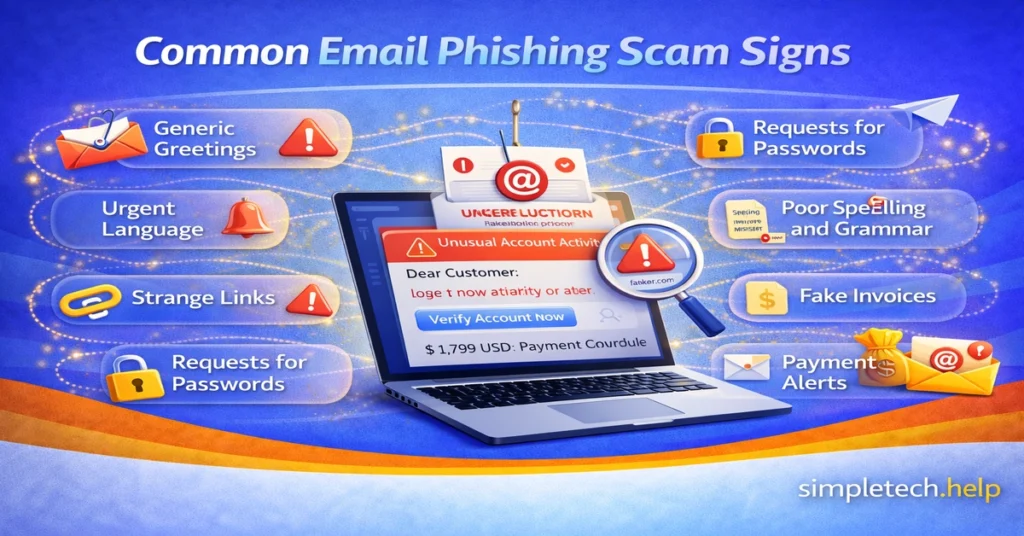
9 Signs an Email May Be a Phishing Scam
Not every phishing email looks obviously fake. Some are convincing. But most contain at least one of the following warning signs.
1. Generic Greetings
Legitimate companies usually address you by name. They build relationships with you to create trust so they can email you notifications, promotions, and news.
These companies take the time to address you properly so that their emails do not end up in your spam folder.
Be cautious if the email says:
- “Dear Customer”
- “Dear User”
- “Valued Member”
Scammers often send mass emails without personalizing them. They cast a wide net because eventually someone will click a link, open an attachment, or volunteer personal information.
2. Urgent or Threatening Language
Phishing emails try to pressure you into taking a specific action. Most aim to capture your financial information, so they target situations or accounts that you may have.
Scammers aim to create a sense of urgency so that you don’t think twice.
They use common phrases, such as:
- “Your account will be suspended immediately.”
- “You must verify your identity now.”
- “Final warning.”
- “Immediate action required.”
Urgency is a red flag. Real companies rarely demand instant action through email threats. Moreover, organizations have prioritized their reputations and customers’ privacy, so they continually implement measures to prevent fraud and data leaks.
3. Suspicious Sender Address
The display name might look legitimate, but always check the actual email address.
For example, support@paypal-secure-login.com and amazon-update-alerts.net are not official domains.
If the email address looks slightly off, overly long, or unrelated to the company, that’s a warning sign.
4. Strange or Mismatched Links
Before clicking any link, hover your mouse over it, but DO NOT click on it.
Look at the URL preview:
- Does it match the company’s official website?
- Is it spelled correctly?
- Does it contain extra words or numbers?
For example, a fake bank link might look like bankofamerica-login-secure123.com instead of the real domain.
If you’re unsure, go directly to the official website by typing it into your browser instead of clicking the link.
5. Unexpected Attachments
Be cautious with attachments you weren’t expecting. Files ending in:
- .zip
- .exe
- .html
- .scr
pose the most risk. Even PDF files can sometimes be malicious because scammers have linked them to code that takes specific actions when clicked.
If you didn’t request the document, don’t open it.
Scammers may name the attachment as something that could pertain to you, such as a bank statement or invoice. Instead of opening it right away, review your records. When in doubt, call the company. You might help them by reporting that you received suspicious attachments from someone impersonating them.
6. Requests for Passwords or Verification Codes
Legitimate companies will never ask for:
- Your password
- Your full Social Security number
- One-time verification codes
- Security questions
If an email asks for this information, it is almost certainly a scam. Organizations set up encrypted channels to protect their customers’ information, but a representative, especially over email, will not request it.
Sharing your password or account information over email has never been a good practice. Therefore, avoid these situations.
7. Poor Spelling and Grammar
The origin of phishing emails is anywhere in the world.
For various reasons, many phishing emails contain:
- Misspelled words
- Awkward sentence structure
- Unusual formatting
Professional companies typically proofread their communications carefully. They hire teams of marketing professionals, copy editors, and content writers to craft messages that align with their brands. They do not pay for poor spelling and grammar.
8. “Too Good to Be True” Offers
Phishing emails target people from all walks of life.
Be cautious of emails claiming:
- You won a prize you didn’t enter
- You’re owed a refund you didn’t request
- You’ve received unexpected money
If it feels unrealistic, it probably is, even if you hope that you did win a prize or if there is money on its way to you.
9. Fake Invoices or Payment Alerts
Scammers often send emails saying:
- “Your payment was declined.”
- “Invoice attached.”
- “You’ve been charged.”
If you didn’t make a purchase, don’t panic. Log in to your account directly through the official website to verify.
Bonus: The Email Doesn’t Match Your Recent Activity
Ask yourself:
- Did I request this?
- Did I try to reset my password?
- Did I make this purchase?
If the message doesn’t align with your recent actions, treat it with caution.
What to Do If You Receive a Phishing Email
If you suspect an email is phishing:
- Do not click any links.
- Do not download attachments.
- Do not reply.
- Mark it as spam or report it. Most email providers have a “Report phishing” option.
- Delete it.
Reporting phishing emails helps prevent others from being targeted.
What If You Already Clicked the Link?
Don’t panic. Clicking a link does not automatically mean your device is infected.
Take these steps immediately:
1. Do Not Enter Any Information
If the page asks for login credentials, close it.
2. Change Your Passwords
If you entered login details:
- Change that password immediately.
- Change it anywhere else you used the same password.
Start with your email account first, since it controls password resets for other accounts.
3. Enable Two-Factor Authentication (2FA)
Two-factor authentication adds an extra layer of protection, even if someone has your password.
4. Run a Security Scan
Use your device’s built-in security tools or trusted antivirus software to check for malware.
5. Monitor Financial Accounts
If you entered payment information, monitor your bank or credit card statements for unusual activity.
If you see suspicious charges, contact your bank immediately.
How to Protect Yourself From Future Phishing Attempts
While phishing emails are common, you can significantly reduce your risk.
- Use strong, unique passwords for every account.
- Enable two-factor authentication whenever available.
- Keep your devices and software updated.
- Avoid clicking links in unsolicited emails.
- Slow down before responding to urgent messages.
Most phishing attempts succeed because people react quickly under pressure.
Pausing for even 10 seconds can prevent a mistake.
Final Thoughts
Phishing emails are designed to look convincing, but they rely on urgency, fear, or excitement to trick you.
Remember:
- Legitimate companies don’t ask for passwords by email.
- Urgency is often a red flag.
- You can always navigate to a company’s official website directly instead of clicking a link.
Online safety isn’t about being perfect. It’s about being aware.
Once you know the signs, phishing emails become much easier to spot and ignore.
Learning and Next Steps
As you become more familiar with phishing, you can build habits that help prevent scams before they happen.
- How to Tell If a Website Is Safe: Learn how to check links and websites before entering your information
- Account Security Basics – Passwords & Logins: Protect your accounts from unauthorized access
- What to Do If Your Email Is Hacked: Know the steps to recover your account quickly
The more you understand how online threats work, the easier they are to recognize and avoid.
And remember: most scams rely on urgency and confusion. Taking a moment to pause and check can make all the difference.