Last Updated on April 3, 2026 by Simple Tech Help
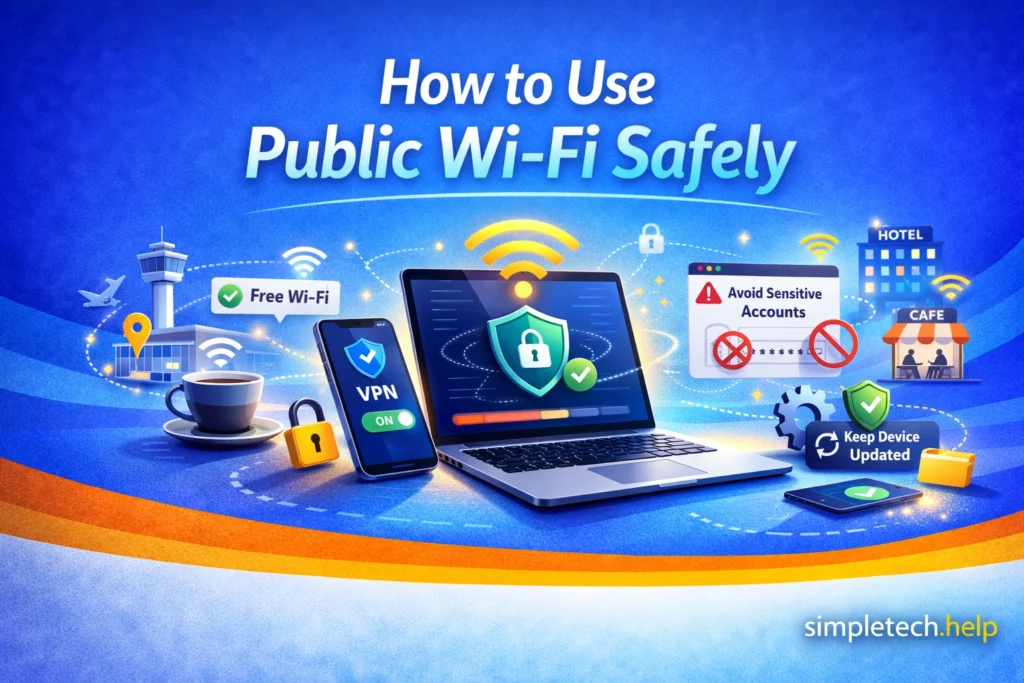
Public Wi-Fi, like in coffee shops, airports, or hotels, is convenient, but it’s not always secure.
If you connect without taking precautions, your personal information could be exposed.
The number of public Wi-Fi networks has increased for practical reasons, such as accommodating mobile payments on public transportation, in retailers, and in restaurants, making it more important to use them safely.
Common Public Wi-Fi Dangers
When you use public Wi-Fi, you’re sharing a network with strangers. This creates risks you don’t have on your home network.
Here are the most common dangers:
- Unsecured networks. Some public Wi-Fi networks don’t encrypt your data, making it easier for others to see what you’re doing.
- Fake Wi-Fi networks. Scammers can create networks that look legitimate to trick you into connecting.
- Data interception. Attackers may try to capture information like passwords, emails, or messages.
- Account access risks. Logging into sensitive accounts (like banking or email) on public Wi-Fi increases your risk.
If you’re not careful, this can lead to stolen accounts or compromised personal information through phishing scams.
How To Use Public Wi-Fi Safely
You don’t need to avoid public Wi-Fi completely. You just need to use it carefully, starting with avoiding sensitive activities.
Avoid Sensitive Activities
Most phishing scams aim to obtain financial information.
Scammers are searching for your login credentials, personally identifiable information, and financial details. If they know where you bank and your email address, they can start trying to take over your account.
On public Wi-Fi, do not:
- Log in to banking apps
- Enter passwords for important accounts
- Shop or enter payment information
Wait until you’re on a trusted network if possible.
Add some peace of mind by securing your online accounts before connecting to public Wi-Fi.
Check the Network Name
When you review the available public Wi-Fi networks, double-check the network names.
Before connecting:
- Ask staff for the correct Wi-Fi name
- Avoid networks with similar or misspelled names
Fake networks are a common scam. Fake networks use tactics similar to those of phishing email attacks. They impersonate known organizations to trick you into taking specific actions.
Mistake: Connecting to any free Wi-Fi without checking it. Many people assume all public Wi-Fi is safe, especially in familiar places like their favorite independent cafe.
Fix: Always confirm the correct network name before connecting. Taking a few seconds to verify the network can prevent major problems.
Use Secure Websites Only
When browsing the internet on a public Wi-Fi network, stay on safe websites only.
Look for:
- “https://” at the start of the website
- A lock icon in your browser
HTTPS, or Hypertext Transfer Protocol Secure, has become standard. It indicates that a website uses encryption to protect its users’ data, including passwords and credit card information.
Visiting safe websites keeps you safe and protects your data while browsing.
Turn Off Auto-Connect
Many devices automatically connect to saved networks. Auto-connect makes it convenient to connect to known networks, especially if you’re in a rush or at home.
However, turn off auto-connect outside of your home so your device doesn’t join unknown networks without your knowledge.
Then, you can turn it back on at home.
Myth: “Public Wi-Fi is safe if it requires a password.”
Reality: A password doesn’t guarantee security. Many public networks share the same password with everyone, which still poses risks.
Use Your Mobile Data When Possible
The number of public Wi-Fi networks has increased. Cities and towns have added them to help their residents connect in public spaces, at libraries, and on public transportation.
However, if something is important, like logging into an account, use your phone’s data instead of public Wi-Fi.
For people on the contant go, it’s also worth investing in a hotspot-enabled device.
Keep Your Device Updated
Technology manufacturers and software developers constantly keep up with cybersecurity developments to protect their users against hackers. They release updates to improve tech functionality and security.
Security updates help protect against known vulnerabilities.
Outdated devices are easier to target.
If your device is no longer supported by updates, it may be time to purchase another device. Learn about the specs of newer devices or explore if a refurbished device is right for you.
Log Out When You’re Done
If you log into any account, log out before disconnecting from Wi-Fi.
When you stay logged in, your session remains open, even after you leave the network. On less secure public Wi-Fi, this increases the risk that:
- Someone could try to access your session
- Your account stays active on that network longer than intended
- Shared or public devices could retain your login
Logging out is like locking the door behind you before leaving a building, especially if you logged into your email account, banking apps, social media, or work accounts.
For example, if you check your email at an airport café, logging out ensures no one else can access your account if your session is still active.
Extra safety tips
- Avoid checking “Remember Me” or “Stay Signed In” on public Wi-Fi
- Close the browser or app after logging out
- If you used a shared computer, log out + close everything
Logging out only takes a few seconds, but it significantly reduces the chance that someone will access your account after you leave.
Public Wi-Fi Alternatives
Public Wi-Fi is convenient, but it’s not always secure. These are some public Wi-Fi alternatives to consider.
Use Your Phone’s Personal Hotspot
A personal hotspot turns your phone into a private Wi-Fi network using your mobile data.
Why it’s safer:
- Encrypted connection, like your cellular data
- Not shared with strangers
- You control who connects
Example: Instead of connecting to café Wi-Fi, you turn on your hotspot and connect your laptop to your phone.
When to use it:
- Accessing bank accounts
- Logging into email
- Entering passwords
Use Mobile Data Directly
If you’re on your phone, you can skip Wi-Fi entirely.
Why it’s safer:
- Cellular networks are more secure than public Wi-Fi
- No shared network risks
Example: Checking your bank app on mobile data is safer than using public Wi-Fi.
Trade-Offs of Using Alternate Public Wi-Fi Options
In many cases, public Wi-Fi access is free. That’s why it’s easier for hackers to target it.
Nonetheless, people balance using public networks to save their data plan allotment or to access a better signal.
Using alternative public Wi-Fi options means you’ll use data from your plan. Using your phone’s hotspot may drain the battery more quickly or cause a weaker signal.
However, if your online activity involves personal or sensitive information, avoid public Wi-Fi when possible.
After Using Public Wi-Fi: Check Your Device
Even if nothing seems wrong, it’s a good habit to do a quick safety check after using public Wi-Fi.
Run a Security Scan
Use built-in tools or trusted security apps to scan your device.
On smartphones:
- Check for unusual apps
- Review app permissions
- Run built-in security scans (if available)
On computers:
- Run antivirus or security software
- Check for unknown programs
- Look for unusual system behavior
Example: If you downloaded a file while on public Wi-Fi, scanning your device helps ensure it’s safe.
Forget the Network
In addition to logging out of your accounts, forget the network. After leaving:
- Go to Wi-Fi settings
- Tap the network
- Select “Forget”
Forgetting the network prevents your device from auto-connecting later.
Change Passwords If Needed
If something felt off, such as a slow connection, pop-ups, redirects, change passwords for your email, banking, and other important accounts.
Watch for Warning Signs
After using public Wi-Fi, be alert for:
- New or unknown apps
- Unusual pop-ups
- Account login alerts
- Password reset emails you didn’t request
These could indicate a security issue.
You don’t need to panic, but a quick check gives peace of mind and catches problems early.
If You Think a Public Network is Unsafe
When it comes to protecting your personal information online, it’s better to take a safe-than-sorry approach. It’s easier to prevent the consequences of a hack than to deal with the aftermath.
If something feels off when you’re logged into a public network:
- Disconnect from the Wi-Fi immediately
- Forget the network on your device
- Avoid entering any personal information
If you have already entered sensitive information after clicking a suspicious link, consider changing your passwords.
How to Prevent Public Wi-Fi Problems
Safely using public Wi-Fi networks requires good habits.
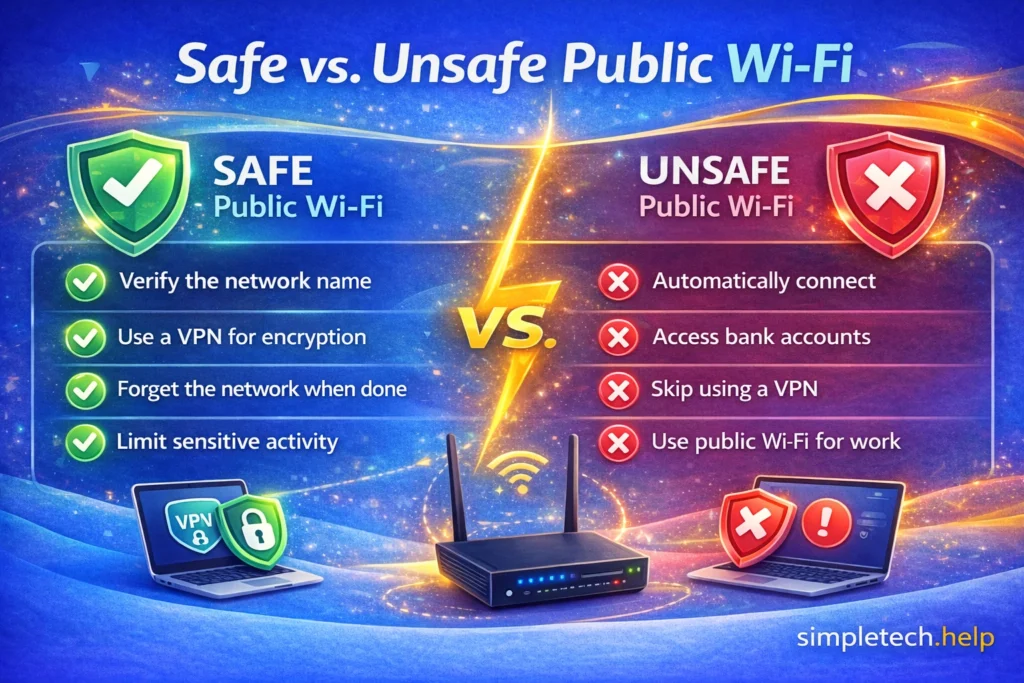
When using public networks, remember to:
- Avoid logging into important accounts on public Wi-Fi
- Double-check network names before connecting
- Use secure (https) websites
- Keep your device updated
- Use mobile data for sensitive tasks
Simple habits can greatly reduce your risk of account hacks, follow-up phishing attempts, and so much unwanted spam emails.
Quick Summary
- Public Wi-Fi is convenient but not always secure
- Risks include fake networks and data interception
- Avoid sensitive activity when connected
- Use secure websites and verify network names
- When in doubt, use mobile data instead
Learning & Next Steps
Now that you understand the risks of public Wi-Fi, the next step is to build safer browsing habits. You don’t need to avoid public Wi-Fi completely, just use it with awareness and caution.
Most risks come from small, preventable mistakes, like connecting to the wrong network or entering sensitive information at the wrong time. Once you know what to watch for, these situations become much easier to handle.
Bookmark this guide so you can come back anytime you’re using Wi-Fi in a new place or feel unsure about a network. A few simple checks can make a big difference.
As you continue building your online safety foundation, these guides pair well with what you’ve learned here:
- Phishing Follow-Up Scams: How scams try to trick you into giving up information
- Email Hacked: What to do if you think your email was hacked
- Online Safety: The basics of staying safe online
- Troubleshooting Tech When Nothing Works: Troubleshoot your devices and software when it feels like nothing works.
The more you understand how online risks work, the easier it becomes to avoid them.
And remember: Staying safe online is about being aware and consistent.
Frequently Asked Questions
Public Wi-Fi is convenient for several reasons. As it becomes more widely used in cities, public transportation, and sporting events, users must practice caution when connecting to protect their personal information. Here are some frequently asked questions about using public Wi-Fi safely.
Is Public Wi-Fi Ever Safe to Use?
Yes, for basic activities like browsing or reading news. Just avoid sensitive tasks.
Can Someone See My Passwords on Public Wi-Fi?
It’s possible on unsecured networks, especially if you’re using unsafe websites.
Is It Safe to Check Email on Public Wi-Fi?
It’s generally okay, but avoid entering passwords or opening suspicious emails.
Should I Use a VPN on Public Wi-Fi?
A VPN can add extra protection, but it’s optional. Safe habits are still important.
What’s Safer: Public Wi-Fi or Mobile Data?
Mobile data is usually more secure because it’s not shared with strangers.