Last Updated on March 29, 2026 by Simple Tech Help
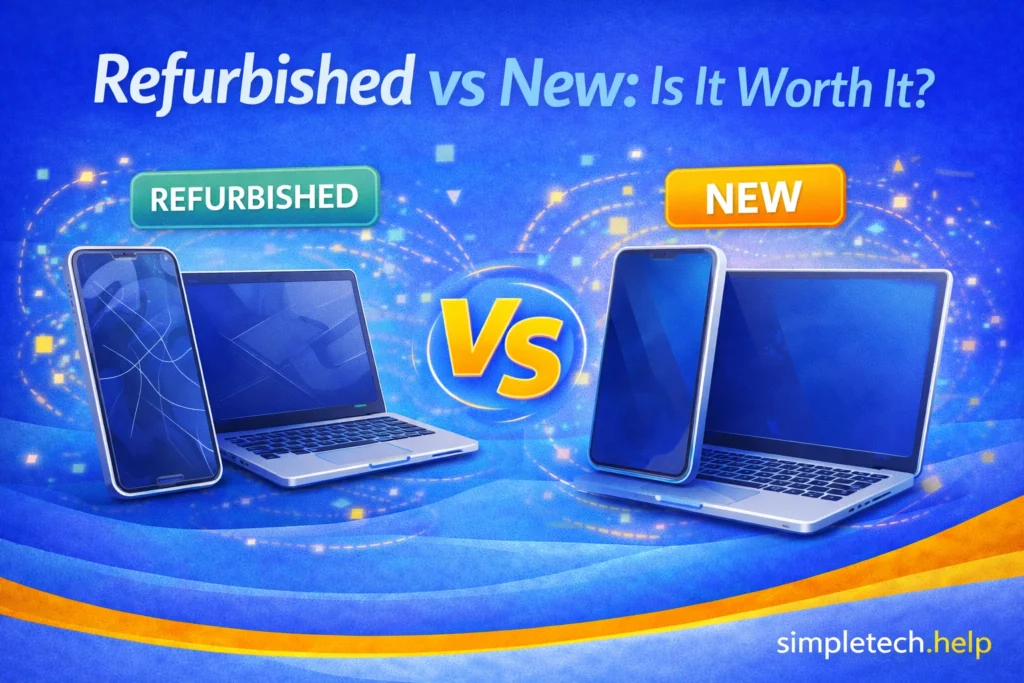
The debate over buying refurbished vs. new tech continues, so it makes sense if you’re not sure whether to buy new or refurbished.
If your device is slow, won’t charge, or keeps having problems, you might be thinking about replacing it.
But then comes the question:
- Should you buy a brand-new device?
- Or save money with a refurbished one?
This guide will help you understand the difference so you can make a confident decision.
What’s the Difference between Refurbished and New Tech?
A new device is brand new, unused, and comes directly from the manufacturer or retailer. You’re buying a device that is the:
- Latest model and features
- Full warranty
- No previous wear or usage
Early adopters, content creators, and influencers usually opt for the newest model as soon as it is released.
Professionals and freelancers also benefit from buying new tech, especially if their work requires their devices to handle computationally and memory-intensive tasks.
A refurbished device is pre-owned but has been tested, repaired as needed, and resold.
- Previously used by someone else
- Checked and restored to working condition
- Often includes a limited warranty
Refurbished does not mean broken. It means the device has been inspected and restored to working order.
Think of Buying Refurbished Like Buying a Pre-Owned Car
A refurbished device is similar to buying a certified pre-owned car instead of a brand-new one.
- A new device is like a brand-new car: Never used, perfect condition, highest price
- A refurbished device is like a certified pre-owned car: Previously used, inspected, repaired if needed, and tested before being sold again
The key difference: Refurbished devices are usually checked and restored, not just resold as-is.
Why This Matters
Just like with cars:
- You can save money
- You still get something reliable
- But it may not feel “brand new”
Understanding this helps you decide what matters more: price or perfection.
Mistake: Choosing refurbished based only on price. A very cheap device may have poor battery health or a limited lifespan.
Fix: Look at the value, not just the price. Check the warranty, condition, and seller reliability before buying.
Signs It Might Be Time To Replace Your Device
If you’re unsure whether to repair or replace, look for these signs:
- Your device is slow even after restarting
- Apps keep crashing
- The battery drains quickly
- The device won’t charge reliably
If multiple issues keep happening, replacing the device may be the better long-term option.
Why Does the Tech Market Sell Refurbished Devices?
If refurbished tech is used, you might wonder: Why do companies sell it at all?
The answer is simple: Refurbished devices are part of how the tech industry recovers value, reduces waste, and offers lower-cost options to buyers. For example, product returns contribute to the number of refurbished devices.
Product Returns
Many refurbished devices were:
- Returned shortly after purchase
- Opened but barely used
- Sent back due to minor issues
These products can’t be sold as “new,” even if they work perfectly.
So instead, they are:
- Inspected
- Tested
- Repackaged
- Sold as refurbished
For consumers, that’s a win, especially those on a budget. These refurbished products benefit students and entry-level professionals.
Repairs and Replacements
Some devices are returned because of:
- Small defects
- Battery issues
- Software problems
After being repaired and tested, they’re resold as refurbished. This gives the product a second life instead of being discarded.
These refurbished products also benefit consumers because it allows them to purchase restored devices for less than the original price.
Trade-Ins and Upgrades
When people upgrade their devices, some trade in their old phones or laptops. It gives them cash that they can use toward their upgrade purchases.
Companies then:
- Test and clean the device
- Replace worn parts if needed
- Resell it as refurbished
If you purchase a refurbished trade-in product from a reputable seller, you may receive a device with a few good years left in it.
Reducing Electronic Waste
Electronics are expensive to produce and difficult to recycle.
Selling refurbished devices helps:
- Reduce waste
- Extend product life
- Lower environmental impact
It’s a more sustainable option that environmentally-conscious consumers may appreciate.
Offering Lower-Cost Options
Not everyone wants, or needs, the latest model.
Refurbished devices allow companies to:
- Reach budget-conscious buyers
- Offer reliable devices at lower prices
Some people just need a phone that can make calls and receive text messages. Others just need a laptop that allows them to connect to the internet and send and receive emails.
Refurbished tech isn’t random or risky by default.
It’s part of a structured system where devices are:
- Returned
- Tested
- Repaired, if needed
- Resold
⚠️ Important Reminder
Not all refurbished devices are equal. Quality depends on:
- Who refurbished it
- Whether it was properly tested
- If a warranty is included
Why It Matters
Choosing between new and refurbished affects:
- Cost
- Performance
- Longevity
- Peace of mind
The right choice depends on your needs, not just the price.
When Buying a Refurbished Tech Device Is Worth It
Refurbished devices are a good option if:
- You want to save money
- You don’t need the latest features
- You’re replacing a device that already works but feels outdated
For example, if your phone is slow or apps keep crashing, a refurbished device can be a lower-cost upgrade.
Since you’re spending less on a refurbished device, you can try it before investing in a new one. Some people experience a learning curve when switching from Android to iPhone or from Windows to Mac. They don’t know if they will like the switch and don’t want to spend the full amount.
So, a refurbished device serves as a starter one. It presents an opportunity to test the waters.
Some parents also opt for refurbished devices for their children to see whether they can handle the responsibility of owning one. Parents can save money before they invest in new technology. Moreover, it bridges a gap that allows their kids to complete their school work before they enter the labor market.
When Buying New Is Worth It
Manufacturers release new models of their devices for various reasons, such as improving their operating systems, cameras, processing power, or battery life.
A new device may be better if:
- You want the latest performance and features
- You plan to use it for several years
- You rely on it for work, school, or daily use
- You want the longest battery life and warranty coverage
Some people need their devices to keep up with them, especially if they create content, work remotely, or frequently edit large files. When you purchase a new device directly from the manufacturer, most let you customize it, so you can request more internal storage and RAM.
Key Differences of Refurbished and New Devices at a Glance
| Feature | New | Refurbished |
| Condition | Brand new | Previously used, restored |
| Price | Higher | Lower |
| Warranty | Full | Limited (varies) |
| Battery life | New battery | May be partially worn |
| Latest features | Yes | Usually older models |
| Risk level | Low | Slightly higher (depends on seller) |
What To Check Before Buying Refurbished Tech
Not all refurbished devices are the same. Before buying, check:
- Seller reputation
- Return policy
- Warranty (even short-term helps)
- Battery condition (if available)
- What was repaired or replaced
Buying from a trusted source significantly reduces risk, especially if you’re already feeling iffy about buying a refurbished device.
Where to Buy Refurbished Devices Safely
Not all refurbished devices are the same. Where you buy from makes a big difference in quality and reliability.
Here are some of the safest places to buy refurbished tech:
Manufacturer Refurbished (Best Option)
Buying directly from the original manufacturer is usually the safest choice.
Examples:
- Apple Certified Refurbished
- Samsung Refurbished
- Dell Outlet
Why this is best:
- Devices are tested to the original standards
- Genuine parts are used
- Warranty is often included
Buying refurbished devices from the original manufacturer is the closest you’ll get to “like new.”
Major Retailers
Well-known retailers also offer refurbished devices.
Examples:
- Amazon Renewed
- Best Buy Open Box & Refurbished
Why this is a good option:
- Return policies are usually available
- Customer reviews can help guide your decision
Major retailers can sell refurbished products to their existing customer base, which expands their offerings. In turn, it helps keep their customers loyal, especially if the refurbished device satisfies their needs.
Certified Refurbishers
Some companies specialize in refurbishing electronics.
What to look for:
- Clear grading system (Excellent, Good, Fair)
- Warranty included
- Return policy
These can offer great value if reputable.
Myth: “Refurbished devices are unreliable.”
Reality: Many refurbished devices work perfectly well, especially when tested and sold by reputable sellers.
The risk is usually low if you buy from a trusted source.
Where to Be Careful When Buying Refurbished Tech
Some independent smartphone and computer companies run small businesses that service devices and sell refurbished ones, so it’s hard to know if you can trust them.
When researching options, be careful when you come across:
- Unknown sellers or marketplaces
- Listings with no warranty
- Deals that seem too good to be true
Lower price often means higher risk.
In some cases, the seller matters more than the product. A well-refurbished device from a trusted source is usually a safe buy.
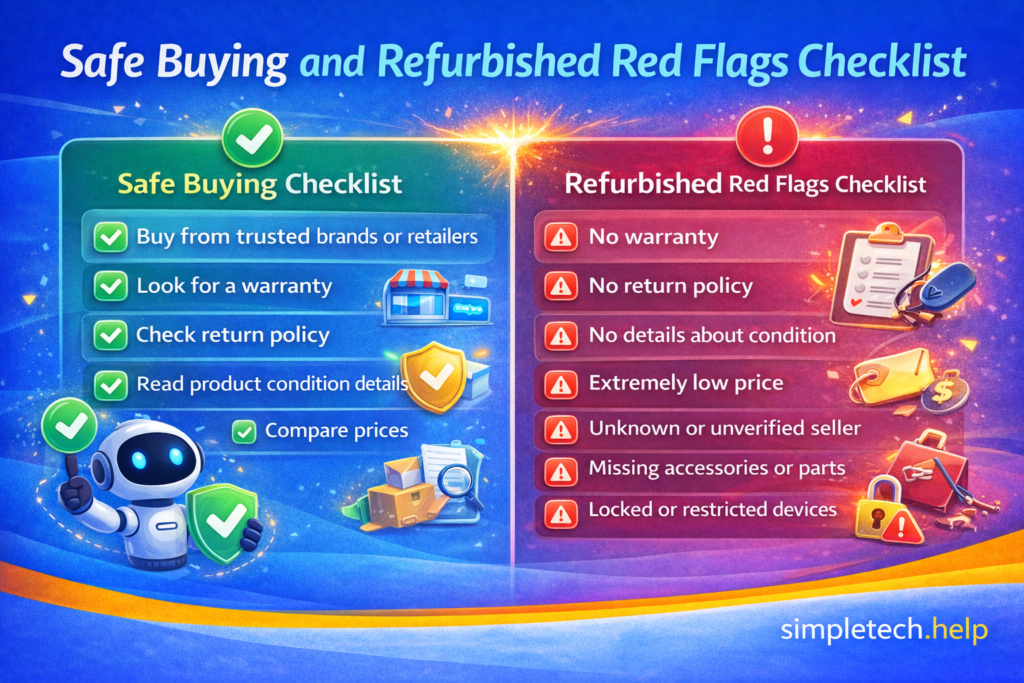
Refurbished Red Flags Checklist
Before buying a refurbished device, watch for these warning signs:
No Warranty
If there’s no warranty at all, it is a major risk.
No Return Policy
If you can’t return it, avoid it.
No Details About Condition
If the listing doesn’t explain the device’s condition, such as excellent, good, fair, or what was tested or repaired, you don’t know what you’re getting.
Extremely Low Price
If the price is far below market value, it may be:
- Poor quality
- Damaged
- Misrepresented
You may want to keep searching for another seller.
Unknown or Unverified Seller
Everyone starts from zero and builds their reputation. However, if the seller has no reviews, poor ratings, or is not established, proceed with caution
Missing Accessories or Parts
Check if the device you plan to buy includes a charger, cable, and necessary components.
Missing items can add hidden costs because you’ll need to purchase them separately.
Locked or Restricted Devices
Make sure the device is:
- Not tied to a previous account
- Not carrier locked (for phones)
Purchasing a locked or restricted device makes it more difficult to customize, pick a carrier, and add your accounts.
Safe Buying Checklist
- ✔️ Buy from trusted brands or retailers
- ✔️ Look for a warranty
- ✔️ Check return policy
- ✔️ Read product condition details
- ✔️ Compare prices
How to Decide Between Buying Refurbished or New
Buying tech, refurbished or new, requires research and thought. You’re investing money into the device and expecting it to operate as advertised.
When buying a device, ask yourself:
- Do I need the latest features?
- How long do I plan to use this device?
- Am I okay with a shorter warranty to save money?
If you want reliability and longevity, opt for new.
If you want value and savings, buying refurbished can be a smart choice.
Some refurbished devices last several years, but they become obsolete more quickly than newer models.
Therefore, understanding what you need makes your decision easier.
New vs Refurbished vs Used (Quick Comparison)
| Feature | 🆕 New | ♻️ Refurbished | 🔄 Used |
| Condition | Brand new, never used | Previously used, restored and tested | Previously used, sold as-is |
| Price | Highest | Lower than new | Lowest |
| Quality Check | Manufacturer standard | Inspected, repaired, and tested | Usually no inspection |
| Warranty | Full manufacturer warranty | Limited warranty (varies) | Rare or none |
| Appearance | Perfect condition | Minor cosmetic wear possible | Visible wear and tear likely |
| Battery/Parts | 100% new components | May include replaced parts (like battery) | Original parts (may be worn) |
| Reliability | Highest | Generally reliable if certified | Varies widely |
| Risk Level | Very low | Low to moderate | Moderate to high |
| Best For | Latest features, peace of mind | Saving money with reliability | Lowest budget, flexible expectations |
Here is another layer to consider when buying tech.
- Choose New if you want the latest features and zero risk
- Choose Refurbished if you want a balance of savings and reliability
- Choose Used if price is your top priority and you’re okay with more risk
Refurbished is often the “middle ground,” similar to a certified pre-owned car:
- More affordable than new
- More reliable than typical used
Whether you find yourself in an emergency situation or on a tight budget, you can buy tech that meets your parameters.
Quick Summary
- New devices offer the latest features and a full warranty
- Refurbished devices cost less and can still perform well
- The best choice depends on your needs and budget
- Always check the seller and warranty when buying refurbished
Learning & Next Steps
Now that you understand the difference between refurbished and new devices, the next step is to decide what matters most for your situation, such as cost, performance, or long-term reliability.
If your current device is having issues, it may help to troubleshoot it first before replacing it. Sometimes a simple fix can extend its life and save money.
Bookmark this guide so you can revisit it when comparing devices or deciding whether to upgrade. Knowing your options makes it easier to avoid overspending or buying something that doesn’t meet your needs.
As you continue learning how to choose the right tech, these guides will complement what you have learned:
- How Much Storage Do I Need?: Choose the right capacity
- Why Is My Phone So Slow?: Decide if you need a replacement
- Troubleshooting Tech Basics: Learn how to fix common tech issues
- Account Security: Protect your online accounts and personal information
Accumulating knowledge, such as how to troubleshoot common tech issues and how to secure your online accounts, helps you choose the right device, maintain it, and keep it secure.
Frequently Asked Questions
Understanding the differences between a refurbished device and a new one makes it easier to decide which one fits your needs better in the short- and long-term. Here are answers to frequently asked questions about buying refurbished vs. new.
Is refurbished the same as used?
No. Refurbished devices are tested and repaired if needed. Used devices are typically sold as-is.
Do refurbished devices come with a warranty?
Many do, but it’s often shorter than the warranty on a new device.
Will a refurbished phone last as long as a new one?
It can, but battery life and long-term performance may be slightly reduced depending on age.
Can I return a refurbished device if it’s faulty?
This depends on the seller. Always check the return policy before buying.
Is a refurbished a good choice for beginners?
Yes. If you buy from a trusted source and understand what to expect.