Last Updated on March 7, 2026 by Simple Tech Help
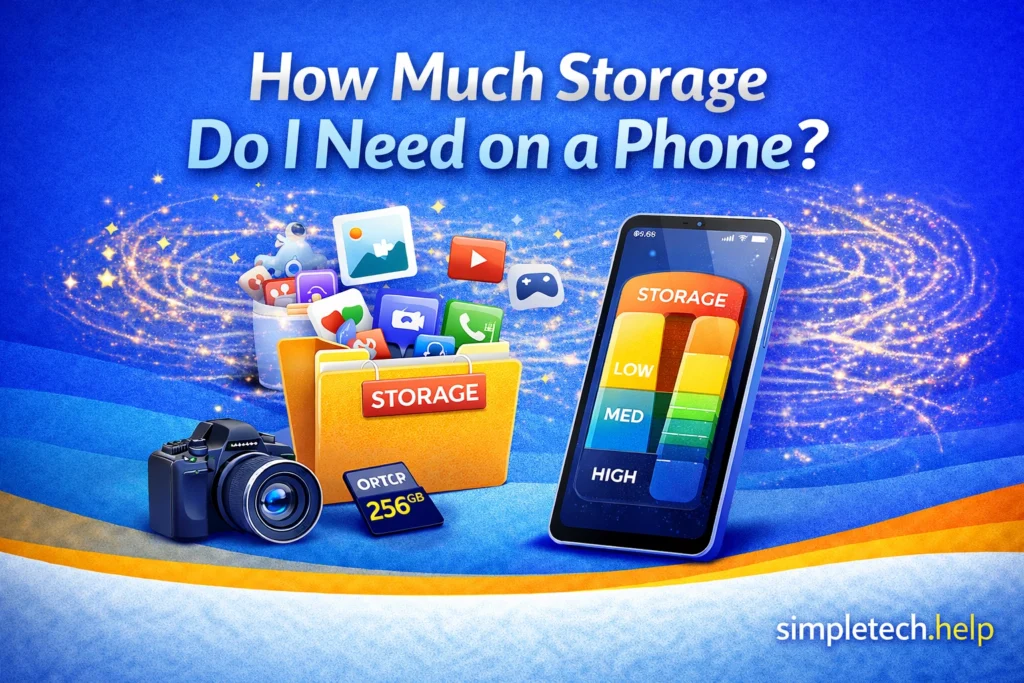
Buying a new phone often comes with an important question: how much phone storage do you actually need?
Modern smartphones typically come with 64GB, 128GB, 256GB, or 512GB of storage, and some premium models offer even more. Choosing the right amount matters because you usually can’t upgrade storage on many phones later.
If you choose too little storage, your phone may quickly fill up with photos, apps, and videos. But choosing more storage than you need may mean paying extra for space you’ll never use.
This guide explains how phone storage works, what uses the most space, and how to choose the right storage size for your needs.
Quick Answer: How Much Storage Do You Need on a Phone?
- 64GB: light users who take few photos or apps
- 128GB: best for most people
- 256GB: heavy photo/video users or gamers
- 512GB+: power users and content creators
Most smartphone buyers today should choose at least 128GB of storage, with 256GB recommended for people who take many photos or videos.
What Phone Storage Is Used For
Phone storage is a versatile and important component of the device.
Phone storage holds everything saved directly on your device, including:
- Photos and videos
- Apps and games
- Text messages and attachments
- Music and downloaded media
- System files and updates
The operating system also takes up some space. For example, a phone advertised as 128GB may only have about 100–110GB available after system files are installed.
Every time you update the phone’s operating system, the software download ensures that it has enough storage for the installation.
In many ways, selecting the right storage capacity is among the top features to consider when buying a new phone or other device.
How Much Storage Do Different Activities Use
Some types of content use far more storage than others. Then, it depends on how much of that content you plan to store on your phone. Given the top items that people store on their phones, let’s look at how much space they take.
Photos
Since smartphone manufacturers incorporated cameras into their devices, users can take pictures of everything and anything.
Most smartphone photos use 2MB to 5MB each, depending on camera quality.
That means:
- 1,000 photos may use 3–5GB
- 5,000 photos may use 15–25GB
If you enjoy taking pictures, you might need more storage capacity. Keep in mind that text message attachments, such as images, also use storage space.
Videos
Videos consume significantly more storage. Whether you create or save videos, you should factor in your phone’s storage capacity before saving them on the device.
Approximate video file sizes:
- 1 minute of HD video: 100–200MB
- 1 minute of 4K video: 350–500MB
A short 4K vacation film can easily use 10GB or more.
Remember: When storage capacity is reached, it will not save new videos.
Apps and Games
Both apps and mobile games vary widely in size.
Apps
Apps vary in size because they have various purposes, such as communication, productivity, and social media. The cached data that social media apps store can consume more storage space.
Games
Like apps, mobile games are available in various types, such as puzzle, action, and Open-World Role-Playing. RPGs may require between 20GB and 40GB of storage.
Apps and Games Storage Examples:
- Messaging apps: 100MB–300MB
- Social media apps: 200MB–500MB
- Mobile games: 1GB–10GB
Then, it depends on what you save in those apps and games.
Downloads
Downloaded content, such as movies, podcasts, and music playlists, also takes up space, especially if you travel often or use offline media. For example, saving one episode of your favorite series can use 593.3MB of space, and a 5-and-a-half-minute song can use 11.5MB.
System Files and Updates
Your phone requires enough storage for its system files and to run updates. For example, an iPhone 14 uses 11.82GB and 8.93GB for its iOS and system data, respectively.
Social Media and Other Communication Data
Every like, post, and comment via social media apps uses storage on your phone. The more items you save to your profile, the more memory they will require. Text messages with attachments, such as GIFs, also use storage space.
Storage Size Guide: What Most People Need
The best storage option depends on how you use your phone.
Studies show that the average user stores 2,800 pictures on their devices, and top-tier users store up to 7,500 images, which could easily bog down a phone with 64GB of memory.
Here’s a breakdown of how much storage you might need.
64GB: Light Users
64GB works best for people who:
- Take occasional photos
- Use basic apps
- Stream most content instead of downloading
- Regularly back up files to the cloud
However, many people now find that 64GB fills up quickly, especially with modern camera features.
A phone with 64GB is suitable for someone who intends to use it primarily as a phone rather than as a mini-computer or camera.
128GB: Most People
128GB is often the best balance of price and storage.
It works well for users who:
- Take photos regularly
- Record some video
- Use social media apps
- Install common apps and games
For most people, 128GB provides enough space for several years of normal use.
256GB: Heavy Users
Consider 256GB if you:
- record lots of video
- take thousands of photos
- download movies or shows
- play large mobile games
Content creators, travelers, and families who record many videos often benefit from extra storage. Streamers also benefit from 256GB, as the video will rarely require buffering.
512GB or More: Power Users
Very large storage options are typically best for:
- professional photography or video recording
- extensive offline media libraries
- large game collections
- users who rarely delete files
Most everyday users do not need this much storage.
Phone Storage Comparison
| Storage Size | Best For | Typical Users |
| 64GB | Light usage | Basic apps, few photos |
| 128GB | Most people | Social media, photos, everyday apps |
| 256GB | Heavy users | Lots of photos, videos, games |
| 512GB+ | Power users | Creators, large media libraries |
Cloud Storage vs Phone Storage
Your phone’s storage is built into the device. You just pick the tier that suits your needs. Built-in storage differs from cloud storage.
Many people rely on cloud services, such as photo backup and file storage, to reduce the amount of data stored directly on their phones.
Cloud storage can help you:
- back up photos automatically
- access files across multiple devices
- free up space on your phone
It has gained widespread adoption among users for its convenience.
However, cloud storage usually requires:
- an internet connection
- a monthly subscription for large storage plans
Therefore, when purchasing a new phone, you can pay for storage upfront by selecting a higher-tier plan or pay for storage in small increments through a monthly subscription.
Many users choose a combination of phone storage and cloud backup, especially if they cannot estimate their storage needs at the time of purchase.
Signs You Might Need More Storage
If you already own a phone and plan to make a new purchase, you can determine whether to buy more or less storage based on your current experience.
If any of these situations apply to you, consider choosing a higher storage option.
Frequently see “Storage Almost Full” warnings. These warnings are disruptive and might cause frustration. They are frequent reminders that you continually reach your phone’s storage capacity.
Take large amounts of video. Since videos consume large amounts of storage space, you’ll need to manage the number of videos you store on your phone. A phone with more built-in storage helps you manage them more easily.
Install many apps or games. The average user installs 40 or more apps and games on their phone, but interacts with only a few daily and monthly. Installing too many apps on a phone eats up the storage and creates clutter. Users who need 40 or more apps and games installed on their phones might need a phone with more storage. Users who want to reduce the app clutter can learn how to create a digital app stack.
Keep photos and videos for years. Some people use their phones as storage devices because they intend to keep photos and videos for years. In this case, it’s a good idea to purchase a device with a larger storage capacity.
Download media for travel. In large quantities and types, media for travel can quickly consume storage space. Frequent travelers benefit from devices with higher storage capacities or from combining built-in storage with alternatives, such as cloud storage.
Running out of storage can slow down your phone and prevent updates from installing.
Can You Upgrade Phone Storage Later?
On most modern smartphones, internal storage cannot be upgraded after purchase. The only viable option is to subscribe to or upgrade to a cloud storage plan from your phone’s operating system manufacturer.
Previously, some Android phones allowed expandable storage using microSD cards, but many newer models no longer include this feature.
Because of this, it’s usually safer to choose slightly more storage than you think you need.
What If You Run Out of Phone Storage?
Running out of storage is a common problem, especially on phones with 64GB or less. When your phone is nearly full, you may notice slower performance, app crashes, or difficulty installing updates.
If you can’t upgrade to a new phone right away, there are several ways to free up space.
Delete Apps You Don’t Use
Many phones accumulate apps that are rarely opened over time. Removing unused apps can quickly free up several gigabytes of storage.
Remove Old Videos
Videos take up significantly more storage than photos. Deleting large or duplicate videos is often the fastest way to recover space.
Use Cloud Photo Backup
Photo backup services let you move photos and videos off your phone while keeping them online.
Once your media is backed up, you can remove the original files from your device.
Clear App Cache
Some apps store temporary files that can grow large over time. Clearing cached data can free up storage without deleting important information.
Transfer Files to a Computer
You can also move photos, videos, and documents to a computer or external drive to free up space.
Consider Upgrading Your Phone
If you frequently run out of storage, it may be a sign that your next phone should include more built-in storage, such as 128GB or 256GB.
Choosing the right storage option when upgrading can help prevent the issue from recurring.
Final Thoughts
Choosing the right phone storage depends mostly on how you use your device.
Photos, videos, and large apps quickly consume space, so users who capture lots of media or install many apps will benefit from higher storage options.
For most people, 128GB offers a comfortable balance between cost and capacity, while 256GB provides extra room for photos, videos, and future use.
If you plan to keep your phone for several years, selecting a little more storage now can help prevent storage problems later.
How Much Phone Storage Do I Need? FAQs
Here are some questions people ask about phone storage and what you need to know.
Is 128GB enough for a phone?
For most users, 128GB provides enough storage for photos, apps, and videos for several years. People who record lots of video or install many large apps may prefer 256GB.
How many photos can 128GB hold?
Depending on camera quality, 128GB can typically store 20,000–40,000 photos, although videos and apps will reduce the available space.
Is 256GB of storage too much for a phone?
For light users, 256GB may be more than necessary. However, it is a good option for people who take lots of photos, record video, or keep their phone for several years.
Does more storage make a phone faster?
Storage size does not directly affect speed, but a phone that is nearly full may run more slowly because it has less space for temporary files.