Last Updated on March 20, 2026 by Simple Tech Help
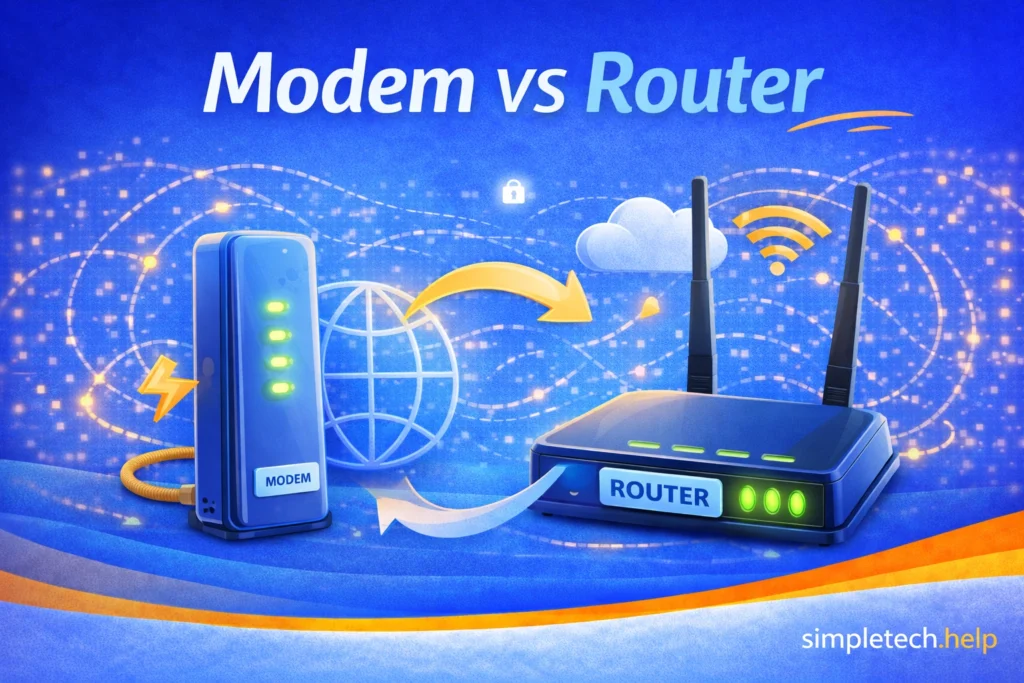
When thinking about modem vs. router for connecting to the internet, remember:
A modem connects your home to the internet, while a router shares that connection with your devices.
If you have internet at home, you probably have a modem, a router, or a device that combines both.
Many people use these terms interchangeably, but they actually serve different purposes. Understanding the difference can make it much easier to diagnose internet problems and manage your home network.
In simple terms:
- A modem connects your home to your internet service provider (ISP).
- A router distributes the internet connection to your devices.
Most home networks require both.
Quick Summary: A modem connects your home to your internet provider, while a router shares that internet connection with your devices.
What Is a Modem?
A modem is the device that connects your home network to the internet.
Your internet service provider sends an internet signal to your home via a cable, fiber, or phone line. The modem receives that signal and converts it into a format that your devices can use.
Without a modem, your home cannot connect to the internet service provided by your ISP.
Typical modem connections include:
- cable from the internet provider
- fiber connection
- DSL phone line
Once the modem receives the internet signal, it passes that connection to the router or directly to a device.
What Is a Router?
A router distributes the internet connection to multiple devices in your home.
It creates a local network, allowing devices such as phones, laptops, smart TVs, and tablets to connect to the internet.
Routers typically provide connections through:
- Wi-Fi networks
- Ethernet cables
When you connect your phone or laptop to Wi-Fi, you are actually connecting to your router.
The router then sends your request to the modem, which connects to the internet.
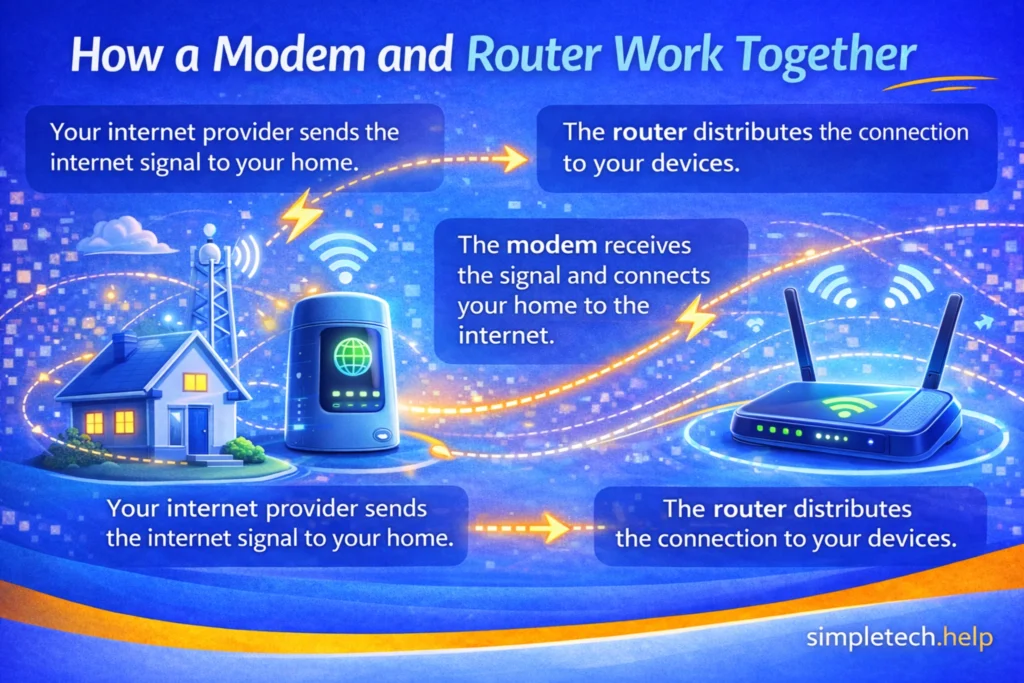
How a Modem and Router Work Together
In most homes, the modem and router work together to provide internet access.
The process works like this:
- Your internet provider sends the internet signal to your home.
- The modem receives the signal and connects your home to the internet.
- The router distributes the connection to your devices.
This setup allows multiple devices to share the same internet connection simultaneously.
Modem vs Router: Key Differences
| Device | Main Job |
| Modem | Connects your home to your internet provider |
| Router | Shares the internet connection with devices |
Another way to think about it:
- The modem brings internet into your home
- The router sends internet to your devices
What Is a Modem-Router Combo?
Some homes use a single device that combines both functions.
These devices are often called:
- modem-router combos
- gateway devices
They connect directly to the internet service line while also providing Wi-Fi for your devices.
Internet providers sometimes supply these devices when you set up your service.
Mistake: Thinking the router is the device that connects to the internet provider.
How to fix it: Remember that the modem connects your home to the internet provider, while the router distributes that connection to your devices.
Do You Always Need Both?
Most home networks require both a modem and a router.
However, there are some situations where the setup may look different.
Examples include:
- a modem-router combo device provided by the internet provider
- apartment buildings with shared internet infrastructure
- business networks using more advanced networking equipment
Even in these cases, the same basic functions still exist: connecting to the internet and distributing that connection to devices.
In most homes, you need both a modem and a router to connect to the internet and share that connection across devices.
Do I Have a Modem or a Router?
Many people aren’t sure which device they have in their home, especially if they picked up the equipment provided by their internet service provider.
Here are some simple ways to tell:
- If the device connects directly to the wall (cable, fiber, or phone line), it is likely a modem
- If the device creates a Wi-Fi network, it is a router
- If one device does both, it is likely a modem-router combo
Understanding what device you have can make troubleshooting much easier.
What Type of Internet Do Modems and Routers Connect To?
Modems and routers are typically used for home internet connections provided by an internet service provider (ISP).
These connections may include:
- cable internet
- fiber internet
- DSL internet
In these setups, the modem connects your home to the internet provider, while the router distributes the connection to devices using Wi-Fi or Ethernet cables.
This type of connection is different from mobile or cellular data, which smartphones use when they connect directly to a cellular network.
For example:
- When your phone uses Wi-Fi, it usually connects to a router in your home.
- When your phone uses cellular data, it connects directly to your mobile carrier’s network instead of your home router.
Some mobile hotspots and cellular routers can also create Wi-Fi networks using cellular data, but most home internet connections rely on a modem and router connected to an ISP.
Myth: A stronger router automatically gives you faster internet.
Reality: Internet speed mainly depends on your internet service plan and the connection coming through the modem. A router affects how well that connection reaches devices in your home.
Understanding Modem vs. Router Differences Helps With Troubleshooting
Knowing the difference between a modem and a router can make it easier to diagnose internet problems.
If your devices connect to Wi-Fi but websites will not load, the router may be working, but the modem may not be connected to the internet.
If Wi-Fi is not appearing at all, the router may be the problem.
Understanding how these devices work together helps narrow down the cause of connection issues during troubleshooting.
Example: Internet Connected but Not Working
One common situation is when a device appears connected to Wi-Fi but cannot access the internet.
In many cases, this happens because the router is working, but the modem has lost connection to the internet provider.
Restarting both the modem and the router often resolves this issue.
Modems and routers serve different but complementary roles in a home network.
The modem connects your home to the internet provider, while the router distributes that connection to your devices through Wi-Fi or wired connections.
Understanding how these devices work together can make it easier to manage your home network and troubleshoot common internet problems.
If you ever experience internet issues, checking both the modem and the router is often one of the first steps toward finding a solution.
Learning and Next Steps
Now that you understand the difference between a modem and a router, the next step is learning how connection issues affect your internet and how to fix them.
- Why Is My Wi-Fi So Slow?: Learn what affects your connection speed and how to improve it
- Why Is Nothing Loading on My Phone?: See how connection, device, or app issues can prevent content from loading
- Troubleshooting Framework: Follow a simple step-by-step process to diagnose and fix most tech problems
- Internet and Wi-Fi Basics: A simple guide to the internet and Wi-Fi for beginners
The more you understand how your internet is set up, the easier it becomes to identify where problems are happening. And remember: most internet issues are caused by simple connection or device problems. You just need to know where to check.
Frequently Asked Questions
Understanding the difference between modems and routers can help you manage your home network more effectively. These common questions explain how the two devices work together.
Can I use the internet with only a modem?
A modem can connect a single device directly to the internet using an Ethernet cable. However, most households use a router to share a connection among multiple devices and create a Wi-Fi network.
Does a router provide internet access?
No. A router distributes an internet connection but does not create the connection itself. The modem connects to the internet provider.
Why do people restart their modem and router?
Restarting these devices resets the network connection and can clear temporary errors that interfere with internet access.