Last Updated on March 19, 2026 by Simple Tech Help
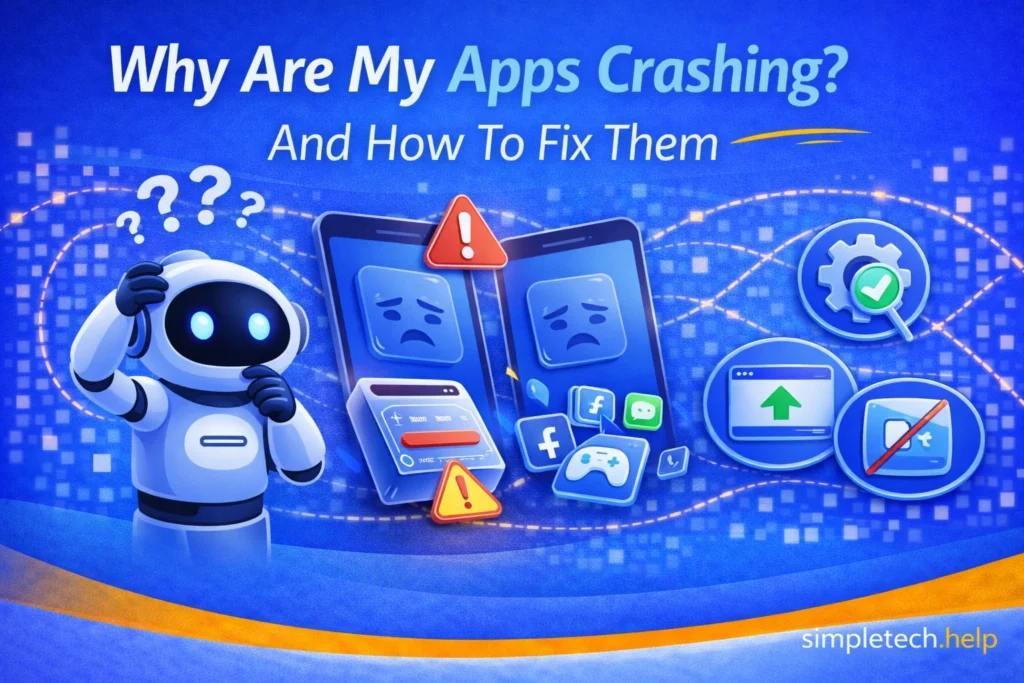
If your apps keep closing unexpectedly, freezing, or restarting, it can be frustrating, especially when you’re trying to get something done. Many users ask, “Why do my apps keep crashing?”
App crashes are common and usually caused by temporary issues, outdated software, or limited device resources. Most app-crashing problems are easy to fix once you understand what’s causing them.
Why Apps Crash
Apps rely on your device’s memory, storage, and software to run properly. When something interrupts that process, the app may stop working or close suddenly.
For example, entertainment and streaming apps require sufficient Random Access Memory (RAM) to buffer and deliver smooth playback. Otherwise, your experience will be choppy.
Crashes can look like:
- the app suddenly closing
- the screen freezing
- the app not responding
- the app restarting on its own
Some apps are more prone to crashing than others, such as social media, video streaming, and gaming. Each type requires a stable internet connection, enough memory, and favorable traffic conditions.
To prevent apps from crashing consistently, your device needs sufficient storage.
Common Causes of App Crashes
Understanding the cause of crashing apps helps you fix the issue faster.
Not Enough Storage Space
Apps need available storage to run smoothly. If your device is low on space, apps may crash or fail to load properly.
Leaving 10% of your device’s total memory is a good rule of thumb. The wiggle room allows apps to cache data, load information and graphics, and execute processes.
If your phone’s storage is too full and you cannot leave 10% of the memory wiggle room, there are steps you can take to free up some space.
Too Many Apps Running
Running multiple apps at once can overload your device’s memory, especially on older devices.
You don’t need to close your apps every time you put your phone down for a few minutes, but you should close the ones that you will not use for 24 hours or more.
Many users turn off the background app refresh option on their devices, which also helps prevent the battery from draining too quickly.
Outdated Apps
Apps that haven’t been updated may have bugs or compatibility issues with your device’s software.
Technology, including apps, depends on regular updates to perform optimally. If the app hasn’t notified you, check the app’s settings to see if it requires an update.
Outdated System Software
Your phone, tablet, or computer’s operating system must stay up to date to support newer app versions.
Updating installed apps and the device’s system software go hand in hand. One depends on the other. Make it a habit to update the device’s system software when it becomes available to download and install.
Software Glitches
Temporary bugs or conflicts can cause apps to freeze or crash unexpectedly. Narrow down the source of the glitch by checking if the app requires an update. If it does not, restart the device.
Poor Internet Connection
Some apps rely on a stable connection. If your Wi-Fi or mobile data is weak, the app may stop working or crash.
If your Wi-Fi is slow, you can troubleshoot and improve app performance.
Corrupted App Data
Over time, cached files or stored data can become corrupted, causing problems.
When troubleshooting technology, hardware, and software, it helps to have the right mindset and follow the SimpleTech troubleshooting Framework.
How to Fix Apps That Keep Crashing
Now that you have an overview of what can cause apps to crash, review how to fix them. Most app crashes can be resolved with a few simple steps.
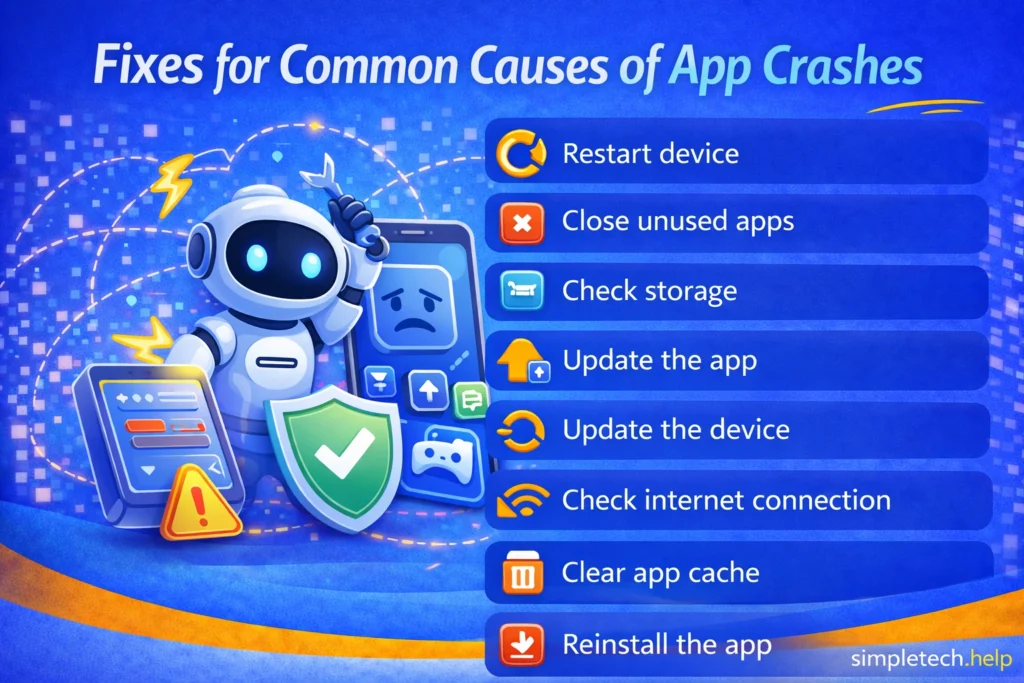
Restart Your Device
Restarting clears temporary processes and often fixes crashes right away. When troubleshooting technology hardware and software, restarting is a go-to.
Close Unused Apps
Reduce the load on your device by closing apps you’re not using. Open apps can run processes in the background, which may slow your device down.
Even though you can install several apps, limiting them to apps that you interact with regularly means that you will have fewer unused open apps.
Check Your Storage
If your storage is full, delete unused apps, photos, or files to free up space. Remember to leave 10% of your phone’s total storage available so apps can run as necessary.
Update the App
Install the latest app version to fix bugs and improve performance. Some app developers stay on top of their software’s performance and continually release updates to improve it.
Update Your Device
Make sure your phone, tablet, or computer is running the latest system software. Updating the apps and operating systems goes hand in hand.
Check Your Internet Connection
Switch between Wi-Fi and mobile data or reconnect to your network. You’re trying to test if a poor internet connection is causing your apps to crash. In most cases, it’s best to use a private home Wi-Fi connection. However, if your provider is having issues, test a cellular connection to see if it works better.
Clear App Cache When Available
On some devices, clearing cached data can resolve crashes without deleting important information. Apps used cache data to help them load and run faster. However, the data can become old and interrupt processes, especially after installing an update.
Reinstall the App
If the problem persists, uninstall and reinstall the app to completely reset it.
Uninstalling and reinstalling a faulty app is a go-to for technology customer support representatives. Uninstalling the app erases all its data from your device. Reinstalling is similar to installing it for the first time, which can help resolve glitches and any issues that prevented it from operating as intended.
Examples of App Crashes Across Different Devices
App crashes can happen on any device, but the causes are often similar.
Phones
On smartphones, apps may crash due to low storage, too many background apps, or outdated software.
Example: A social media app keeps closing because your phone storage is full or the app hasn’t been updated.
Tablets
Tablets often experience crashes when running multiple apps or using older operating systems.
Example: A streaming app freezes and crashes because the tablet hasn’t been updated in a long time.
Computers
On desktops and laptops, crashes are often related to software conflicts, outdated programs, or insufficient memory.
Example: A web browser crashes repeatedly because too many tabs are open or an extension is causing issues.
Across All Devices
No matter the device, crashes often come down to:
- limited resources, storage or memory
- outdated software
- temporary glitches
If an app starts acting up, running through the troubleshooting steps can help you narrow down the cause.
Using the SimpleTech Troubleshooting Framework helps you troubleshoot issues with confidence.
When App Crashes May Be a Bigger Problem
Sometimes software glitches indicate that something bigger is happening.
If apps continue to crash after trying basic fixes, there may be a deeper issue.
Possible causes include:
- a failing device or aging hardware
- a problematic app update
- system-level software issues
Aging hardware starts to become obsolete. When it can no longer support the newest system or app updates, the apps will crash. When you need to update your device, our buying guide helps you understand its specs.
Many app developers monitor their software’s performance. Additionally, they must keep up with changes made to operating systems, such as iOS and Android, which affect the performance of their apps. Sometimes app updates do not perform as expected, and users must wait for a patch or fix to roll out.
If multiple apps frequently crash on your device, the issue is likely not just one app.
How to Prevent Apps from Crashing
Extending the life of tech, its components, and software requires users to use best practices and develop good habits. An app that needs to be updated or restarted will not stop you in your tracks if you catch the issue sooner rather than later.
Simple habits can reduce the frequency of crashes, including
- keep apps updated
- update your device regularly
- avoid filling storage completely
- restart your device occasionally
- limit the number of apps running at once
These steps help your device run more smoothly and reduce unexpected issues.
Many apps will not continue to operate as expected if they require an update. Other apps cache so much data that they bog down and require a restart. These are just some ways to keep your apps in good working condition.
Some users download 100 or more apps on their devices but use only 8-9 weekly and monthly. A cluttered phone negatively impacts its performance and the performance of the apps. If you have downloaded too many apps, read how a digital app stack can benefit you.
Learning and Next Steps
As you get more comfortable troubleshooting app issues, it helps to understand how storage, performance, and connectivity all work together.
Why Is My Phone Running So Slow?: Learn how performance issues affect apps and responsiveness
Phone Storage Full: Understand how limited storage can cause apps to crash or stop working
Why Is My Internet Connected But Not Working?: See how connection issues can affect app performance
Troubleshooting Technology Framework: Follow a simple step-by-step process to solve almost any tech problem
The more you understand how your device supports apps, the easier it becomes to fix problems quickly. And remember: most app crashes are caused by common issues—once you identify the cause, the fix is usually straightforward.
Frequently Asked Questions
Here are the answers to frequently asked questions about apps that keep crashing.
Why do apps keep crashing on my phone?
Low storage, outdated apps, or too many apps running at once can often cause apps to crash on a phone.
Can a bad internet connection cause apps to crash?
Yes, a bad internet connection can cause apps to crash, especially for apps that rely on real-time data, like streaming or social media apps.
Does restarting really fix app crashes?
Yes, restarting clears temporary glitches that often cause apps to crash. In many cases, restarting helps fix problems that cause devices and software to run suboptimally.
Should I delete an app if it keeps crashing?
If updating and restarting don’t resolve the issue, reinstalling the app can often fix it. Many tech support representatives recommend deleting and reinstalling an app that crashes.