Last Updated on April 4, 2026 by Simple Tech Help
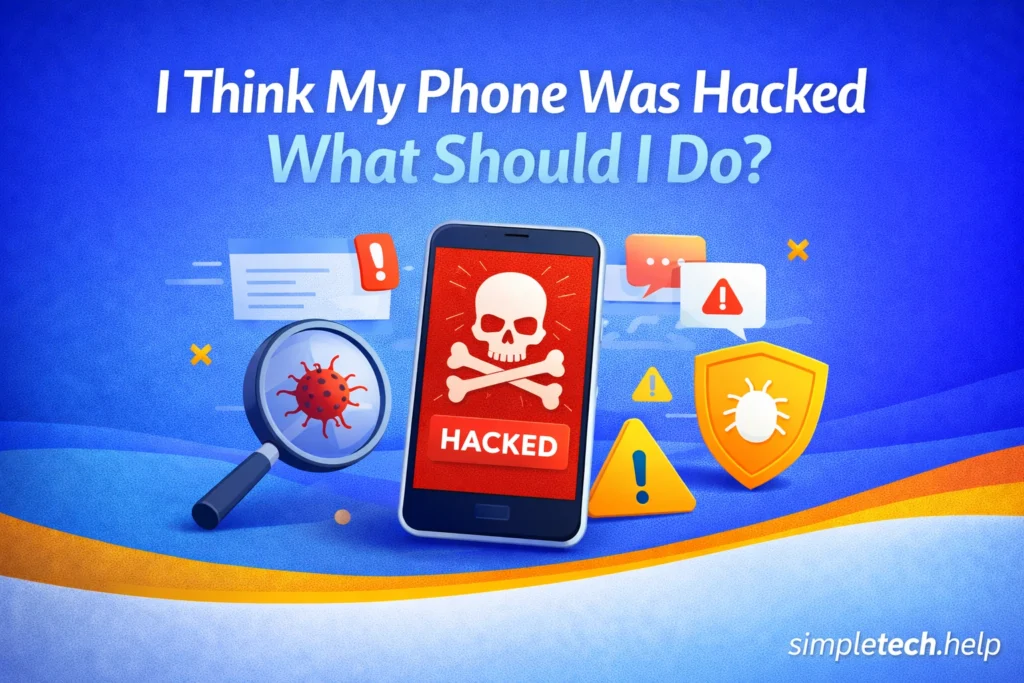
If your phone is acting strangely, it’s easy to panic and assume the worst, especially if you think your phone was hacked.
Take a breath: Most of the time, your phone is NOT actually hacked unless you clicked a suspicious link or provided sensitive information in a phishing attempt.
Issues like slow performance, pop-ups, or battery drain are usually caused by:
- Apps
- Settings
- Software glitches
That said, it’s still important to check.
This guide will help you:
- Understand the real signs of a hacked phone
- Rule out common causes
- Take the right steps to protect yourself and your device
To set your mind at ease, let’s define a hacked phone.
What “Hacked Phone” Usually Means
When people say their phone is hacked, they usually mean:
- Something feels off or unusual
- Apps are behaving strangely
- The phone is slow or draining quickly
- They saw a suspicious message or pop-up
In most cases, these signs are not hacking, but it’s still worth investigating because they represent other issues. For example, apps should not behave strangely or crash.
Mistake: Assuming the phone is hacked immediately.
Why it’s a problem: Leads to panic and unnecessary actions. For example, you may click on a link that leads you to a secondary phishing scam.
Fix: Check common causes first, such as apps, storage, and updates. Additionally, stay calm and troubleshoot step by step.
Common Causes That Feel Like Hacking But Aren’t
A hacked phone is not something you should take lightly, especially if you store sensitive information on it, such as your banking credentials, contact list, and email accounts.
However, the situation requires a calm, steady mindset to determine whether the device is acting up or if it’s a hack.
Let’s explore common causes that feel like hacking, but aren’t.
Slow Performance
Phones can perform poorly when too many apps are running in the background. Coupled with low storage, it can make your phone lag. A slow phone has several easy fixes, such as clearing up storage without deleting everything.
If you receive frequent low-storage alerts, you may need a phone with more storage.
Battery Draining Fast
Background apps or settings often cause a phone’s battery to drain fast.
A phone battery should not drain quickly, especially if you purchased the phone within the past year. A phone battery that drains quickly could signal that your brightness is set too high or that too many apps are running in the background.
These are issues that you can easily address.
Internet Issues
Poor connection can make apps behave oddly. It could also cause the phone’s battery to drain fast and overheat.
If nothing is loading on your phone or the internet keeps disconnecting, you may have internet issues.
Restarting is a quick fix for several tech issues. In this case, restart your router and test if it improves your home’s Wi-Fi signal. If your mobile data is not working, restart your device and see if its performance and the data connection improve.
App Glitches
App crashes or freezes are common.
Crashing apps mean they did not install correctly, need an update, or do not have enough storage on your phone to operate optimally.
Close all apps on your phone, then reopen the misbehaving one to test it. If performance does not improve, you may have a low-storage issue, or you’ll need to uninstall and reinstall the app causing the problem.
Some people clutter their phones with too many apps, which causes performance issues. If your phone is cluttered, learn how to create a digital app stack.
Key Insight: Most “hacked phone” concerns are actually performance or software issues.
Myth: “If my phone is acting weird, it’s been hacked.”
Reality: Most issues are caused by apps, settings, or performance issues, not by hacking.
The Pew Research Center has found that the number of adults adopting mobile phones continues to increase steadily, increasing the potential risks of owning one.
Next, let’s explore signs that your phone may be compromised.
Real Signs Your Phone May Be Compromised
Your concern level should rise when your phone battery drains quickly, apps start crashing, you see frequent pop-ups or redirects, and you notice other red flags.
A hacked phone shows strange pop-ups and experiences unusual data usage because the hackers are attempting to gain access to your financial accounts. They may also be downloading sensitive information and attempting to set up a follow-up scam attack.
Serious warning signs of a hacked phone include:
- Unknown apps installed
- Frequent pop-ups or redirects
- Unusual data usage
- Accounts sending messages you didn’t write
- Security alerts from your email or accounts
Finding unknown installed apps on your phone is cause for concern. The apps may lock your phone and prevent you from running malware scans. When hackers gain control of your phone, they can send messages to others, which continues the hack onto unknowing friends and family.
If you see multiple signs together, take action.
Phone Was Hacked: What to Do Right Now Step-by-Step
The combination of red flags means you should take action to protect your device and personal information. Here are the steps to take now.
1. Disconnect From the Internet
Keeping your device connected to the internet allows hackers to continue installing unauthorized apps, downloading information, and browsing your device.
Turn off the phone’s mobile data and Wi-Fi connections to limit potential unauthorized access.
2. Restart Your Phone
Next, restart your phone to clear temporary processes and glitches, but avoid reconnecting to the internet.
3. Remove Suspicious Apps
Review your phone and look for:
- Apps you don’t recognize
- Recently installed apps
Delete anything unfamiliar, as hackers may use it to obtain and download unauthorized information.
4. Change Your Passwords
If your phone is hacked, assume your online accounts are compromised as well. Therefore, change your passwords.
Start with:
- Banking
- Social media
Change your passwords on a different, secure device if possible.
5. Enable Two-Factor Authentication (2FA)
After changing your passwords, set up two-factor authentication, something that many email providers, retailers, and banking platforms require.
2FA adds an extra layer of protection.
6. Run a Security Check
Next, use built-in tools or trusted security apps to run a security check on your phone. They will detect whether your phone is compromised.
The scan results will provide you with additional guidance on what to do next. For example, the tools can find malicious software. Then you’ll know what to remove.
7. Update Your Phone
Additionally, update your phone.
Install:
- System updates
- App updates
Manufacturers and developers stay on top of cybersecurity threats that affect their devices, software, and users. Then, they release updates to address gaps in their security protocols.
Bonus: Reset Your Phone (If Needed)
Ideally, the above steps will address any ramifications of a hacked phone. If they do not, your last resort is to reset the device.
If problems continue:
- Back up your data
- Perform a factory reset
Resetting a phone removes most threats. When it restarts, install the backed-up data. Open and run programs to see if the phone operates well. If it’s damaged, you may need to replace the device.
Real-Life Examples of Hacked Phones
To give you an idea of hacked-phone scenarios, here are some examples.
Example 1: “My Phone Feels Hacked”
Your phone is slow, and apps are lagging, so you think it’s hacked.
However, the likelier cause is too many apps running in the background and low storage.
Conclusion: Not hacked
Example 2: Suspicious Pop-Ups
You clicked a suspicious link and now see pop-ups.
Conclusion: Possible malware, or you visited an unsafe site.
Example 3: Account Activity
Your email sends messages to your contact list that you didn’t write.
Conclusion: Your account is compromised, possibly due to an email hack, but the phone is not necessarily hacked.
What If Another Device Was Hacked?
While this guide focuses on phones, the same types of issues can happen on other devices, too.
If your computer, tablet, smartwatch, or smart device is acting strangely, the steps to address it are very similar.
If Your Computer or Laptop Was Hacked Common Signs:
- Pop-ups or fake warnings
- Programs you don’t recognize
- Browser redirects or strange websites
- Slower performance than usual
What to do:
- Run antivirus or built-in security scans
- Uninstall suspicious programs
- Update your operating system
- Change important passwords (especially email and banking)
Example: If your browser keeps redirecting you to unknown websites, your computer may have malware installed.
If Your Tablet Was Hacked
Tablets work like smartphones, so the steps are almost identical.
What to do:
- Delete suspicious apps
- Update the device
- Restart the tablet
- Change your passwords
Example: If apps keep crashing or opening on their own, it could be caused by a malicious app.
If Your Smartwatch Was Hacked
This is less common, but still possible, especially if your smartwatch is connected to your phone.
What to do:
- Disconnect and reconnect it to your phone
- Update the watch software
- Reset the watch if needed
Example: If your smartwatch behaves oddly or stops syncing properly, resetting it often fixes the issue.
Smart TVs & Streaming Devices
Devices like smart TVs and streaming boxes, such as Apple TV, can also be affected.
Signs of a hack:
- Apps opening on their own
- Slow or glitchy menus
- Unknown apps installed
What to do:
- Sign out of all accounts
- Update the device
- Factory reset if needed
Smart Home Devices
Smart speakers, cameras, and other connected devices can also be targeted.
What to do:
- Change your Wi-Fi password
- Update device firmware
- Remove unknown connected devices
If a device is connected to the internet, it can be vulnerable, but most issues can be fixed with updates, resets, and account security.
Next Step: Protect Everything
If one device may have been compromised, it’s important to secure everything connected to it, including your online accounts and home Wi-Fi network.
Quick Hacked Phone Safety Checklist
- ✅ Remove unknown apps
- ✅ Update your phone
- ✅ Change passwords
- ✅ Enable 2FA
- ✅ Restart your device
These steps resolve most concerns.
Learning & Next Steps
Now that you understand what a “hacked phone” really means, the next step is learning how to recognize real threats and avoid them in the future.
Start simple:
- Be cautious with links and downloads
- Keep your phone updated
- Pay attention to unusual behavior
Most issues aren’t serious, but knowing what to check gives you confidence and control.
Bookmark this guide so you can return anytime something feels off.
As you continue troubleshooting, these guides can help:
Strengthen Your Protection
- Online Safety: Learn the basics of online safety
- Account Security: Protect your accounts
- Strong Passwords: How to create them
If your phone feels off, don’t panic. Start with one simple step, like restarting or checking your apps. Most problems are easy to fix once you know where to look.
Frequently Asked Questions
Feeling like your phone may be hacked is unsettling. Sometimes, your phone is just having performance issues. Other times, it is compromised. Here are frequently asked questions about phone hacks, along with answers.
How Do I Know if My Phone Is Hacked?
Look for multiple warning signs, such as unknown apps, unusual activity, or account issues.
Can Someone Hack My Phone Easily?
It’s uncommon. Most issues are not actual hacking.
Should I Reset My Phone if I Think It’s Hacked?
Only if problems continue after basic troubleshooting.
Can Apps Spy on Me?
Some apps can collect data, especially if they’re untrusted.
What Should I Do first if I’m Worried?
Disconnect from the internet, restart your phone, and check for suspicious apps.